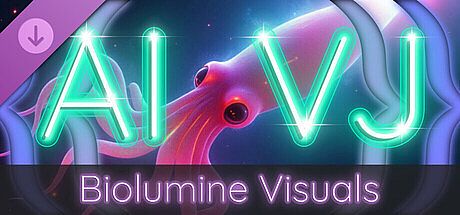























AI-VJ is a free-to-play VJ software tool for PC that generates and syncs pre-rendered AI visuals to live music performances. Developed by Intuition Technology, it targets DJs and event organizers who need reliable background visuals without constant manual intervention. The base application supports audio-reactive effects, custom media imports, and projector output, while additional visual libraries such as the Biolumine pack expand the available content through paid DLC.
Gameplay
The core loop centers on loading visuals into decks, arranging them for playback, and maintaining synchronization with incoming audio. Users import pre-generated clips or their own videos and images, then arrange them across single or multi-layered decks. Layering allows blending of different content types, such as a video background with a 3D model or shader effect in the foreground. Audio input from line-in, microphone, WASAPI loopback, or direct PC playback estimates BPM to drive transitions and reactivity. Ableton Link provides precise beat matching when connected to compatible DJ software like Rekordbox, Traktor, or Serato. Parameters across visuals can respond to audio levels, and playback supports multiple modes including synced looping with beat-triggered jumps or flips. The interface includes drag-and-drop organization, keyboard navigation for quick selection, and options to hide controls during live use. Output routes to a secondary screen or projector, with Spout support for integration into other applications. Performance optimizations keep rendering smooth up to 120 frames per second on capable hardware.
Game Modes
AI-VJ operates primarily as a single-user performance tool rather than offering distinct named game modes. The main workflow involves preparing a set of visuals in advance, then triggering and mixing them in real time to match a DJ set or playlist. Deck-based playback forms the central structure, with support for banks of clips that users cycle through manually or via automated sync. Additional functionality includes slideshow creation from personal images and real-time shader or fractal generation for variety during longer performances. No traditional multiplayer, campaign, or competitive modes exist; the focus remains on live audiovisual synchronization for events and parties.
Visual Libraries and Customization
Content expands through DLC packs that add themed AI-generated visuals. The Biolumine collection contributes over 370 clips across 12 styles, all recorded at 60 frames per second for smooth playback at varying tempos. These clips feature bioluminescent themes and provide more than 40 minutes of unique runtime, sufficient for extended sets when standard repetition practices are applied. Installation adds the visuals directly to the deck menu or a dedicated DLC window. Similar packs cover abstract, party, robot, and other motifs. Users can further customize by importing personal media, applying blend modes such as multiply or screen, and adjusting reactivity parameters. The software also accommodates 3D models in GLB format with built-in animation options and play modes that respond to beats.
Current State and Updates
AI-VJ exited Early Access with version 1.0 on September 28, 2026. This release introduced expanded shader support for GLSL, ISF, and ShaderToy files, along with broader audio reactivity across all visual types. Earlier updates added multi-layer decks, 3D model handling, improved video playback engines supporting additional codecs, and performance gains that doubled rendering speed in some cases. The application remains under active development with ongoing additions based on user feedback. It runs on Windows systems and includes automated testing for stability in production environments.
Is It Worth Playing?
Reception on Steam shows mixed to mostly positive feedback from dozens of reviews, with users noting reliable sync and ease of use for live settings. The free base application lowers the barrier for anyone needing quick visuals behind a set, while DLC options allow selective expansion of libraries. It suits DJs who prefer pre-prepared, high-quality content over building everything from scratch, particularly those performing in venues with projector setups. Limitations appear in the niche focus, with fewer reviews overall compared to mainstream games. Those seeking a hands-off visual companion for music events will find the current version production-ready, though results depend on matching the tool to existing workflows rather than expecting broad entertainment features.