
Compra Pixeluvo PC

Dove comprare la chiave Steam Pixeluvo {6} più economica? Confronta i prezzi da 1 store e scegli la soluzione migliore tra 1 offerte su XD.deals. Al momento il prezzo {6} più basso per Pixeluvo nei keyshop è su 31,99 € (0% di sconto).

Steam:
Positive (206)
Keyshops
Non disponibile
Compra nello store ufficiale:
31,99 €
Compra nei keyshop:
Vedi storico prezzi

Store ufficiali (1)

DRM:
Steam
Steam
Steam
Pixeluvo
Windows
1a fa
DRM:
Steam
Steam
31,99 €
Historical Low Deal
Historical low

Info su Pixeluvo

Pixeluvo - info sul gioco
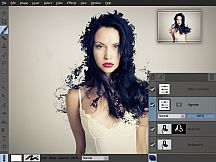
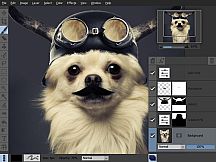
Pixeluvo offre un'esperienza raffinata di editing fotografico su Windows, gestendo operazioni base come ritaglio e ridimensionamento fino a manipolazioni complesse con layer e maschere. Gli utenti correggono prospettive, rimuovono imperfezioni con Spot-Heal e modificano i colori tramite Curves, Levels o preset Quick Color. I file Raw vengono elaborati in un flusso completo, restando editabili come layer dedicati per ritocchi continui prima della conversione in bitmap. Questo strumento per design e illustrazione eccelle con pennelli sensibili alla pressione, layer illimitati in diverse modalità di fusione ed effetti come riduzione del rumore o lens flares. Gli strumenti di selezione isolano con precisione le aree desiderate, mentre l'interfaccia intuitiva massimizza lo spazio di lavoro grazie a pannelli nascondibili e viste a schermo intero. Creativi professionisti ed editor quotidiani contano sul suo workflow non distruttivo per miglioramenti dettagliati delle immagini.

Pixeluvo is a beautifully designed image and photo editor for Windows. From simple photo cropping and resizing to complex image manipulation with multiple adjustment layers and masks, Pixeluvo can handle just about all your day-to-day image editing requirements. With its high quality toolset and attention to detail this is software that is simply a pleasure to use.

Pixeluvo contains a wide range of advanced features including non-destructive editing via adjustment layers, full support for raw image formats, powerful color correction tools, realistic pressure-sensitive drawing tools and many image enhancement filters.

  • Full RAW processing pipeline
  • Unlimited layers and masks
  • Adjustment layers
  • Huge selection of powerful filters and effects
  • Powerful tools for photo touch-up and editing
  • Realistic painting tools with pressure support
  • Easy to use modern UI

Photo Editing


With Pixeluvo it is simple to crop, resize or rotate images. But of course it doesn’t end there. With just a few clicks you can:

  • Fix perspective distortion
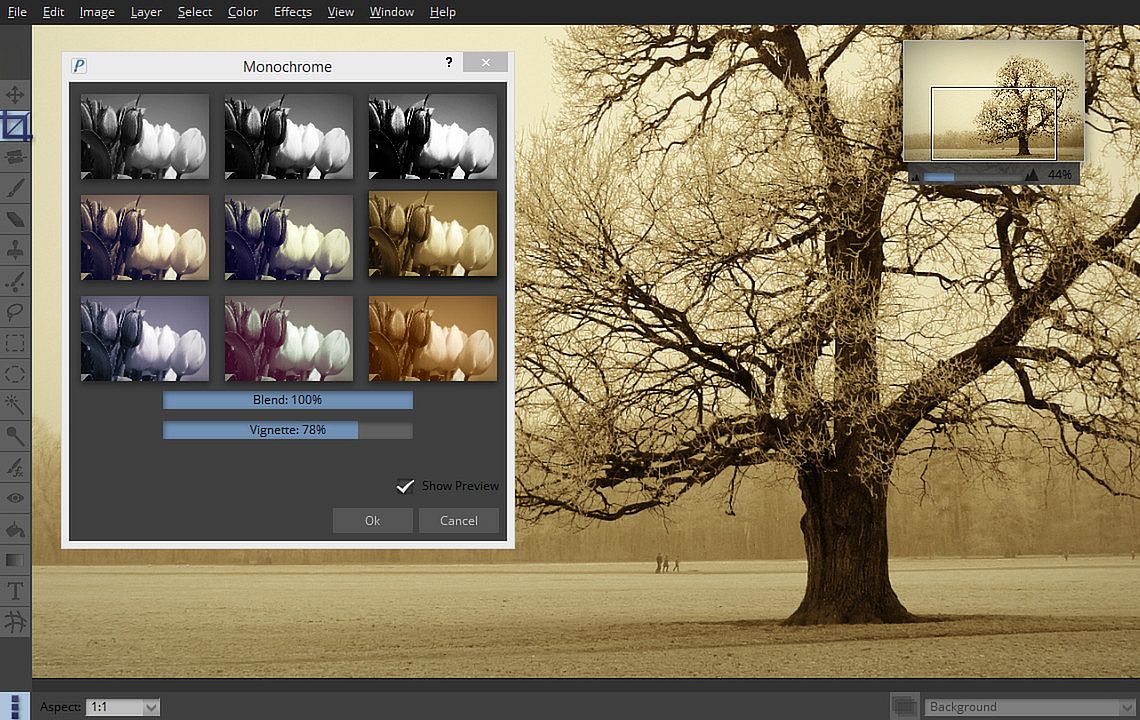
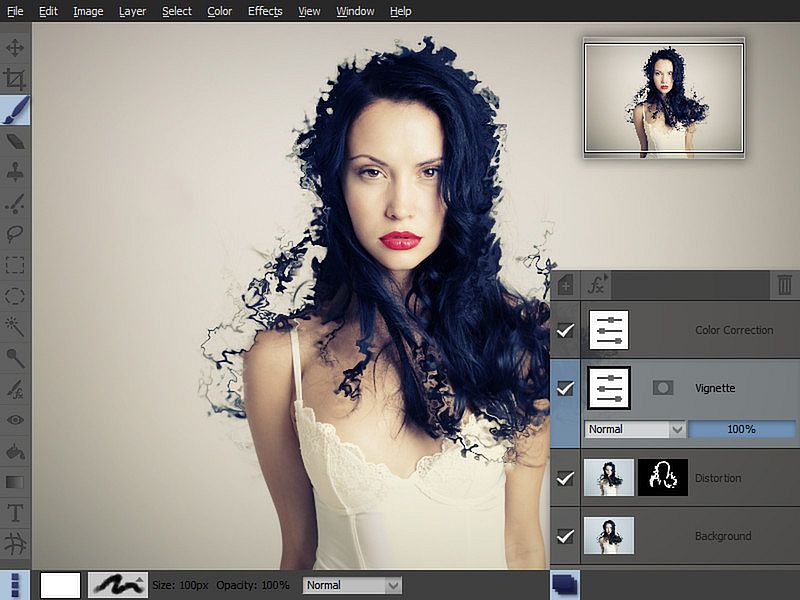
  • Add a vignette to your photos
  • Quickly paint out blemishes with the Spot-Heal tool
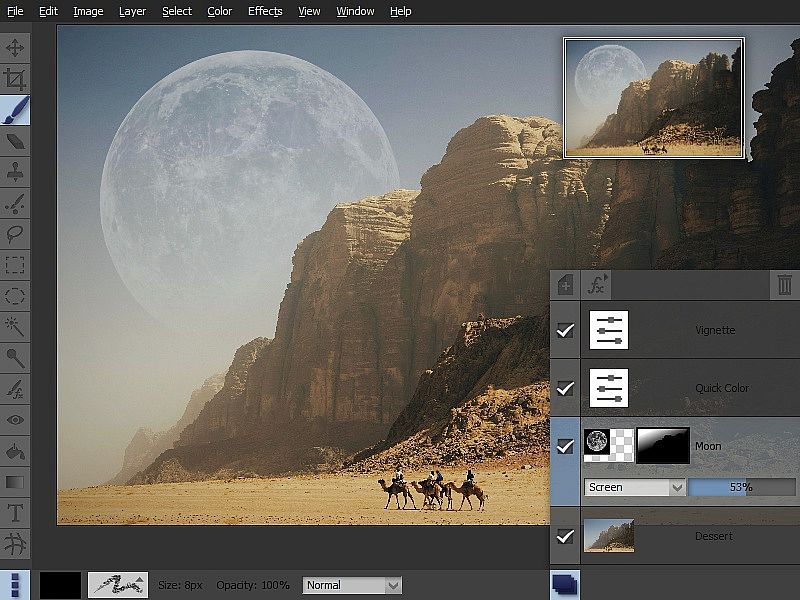
  • Transform the feel of an image with the Quick Color filter
  • Add text or captions to your images

Color Correction


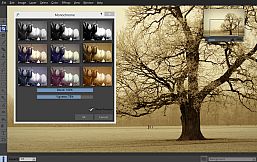
Pixeluvo contains a full range of color transform filters, allowing you to quickly transform the look of an image.

  • Choose from a range of high quality presets in the Quick Color filter
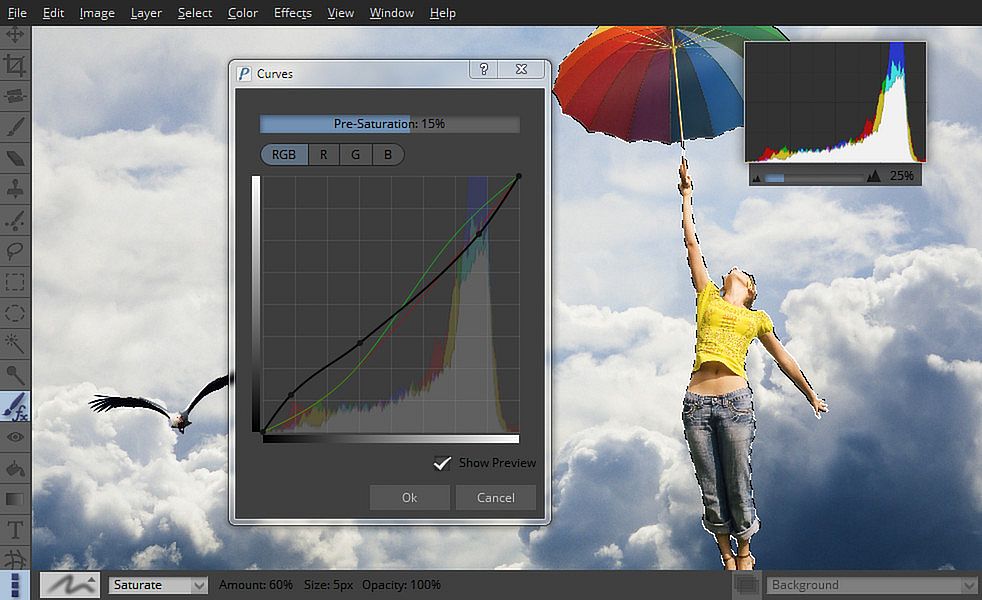
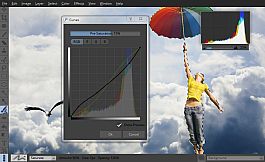
  • Have complete control with the Curves and Levels filters
  • Adjust the color temperature
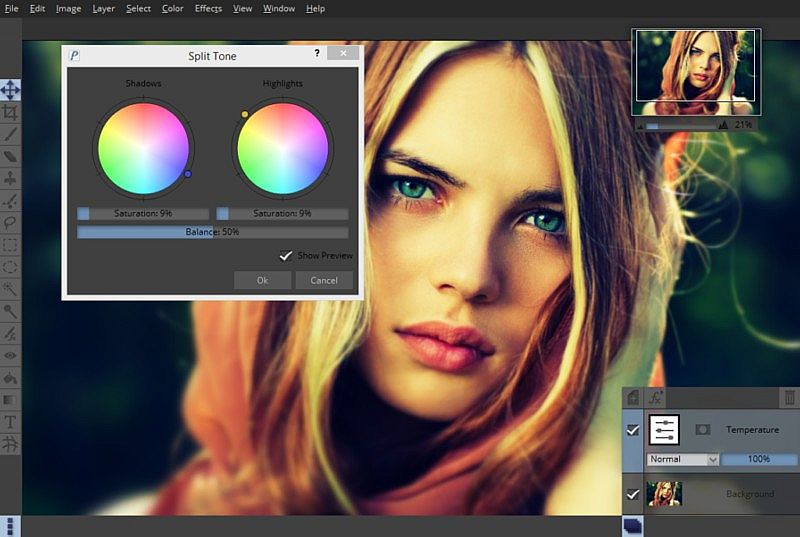
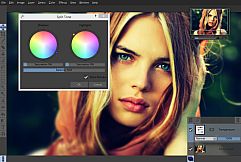
  • Adjust the color balance separately for shadows, midtones and highlights
  • Many other professional color filters

All the color correction filters can also be used in a non-destructive manner as adjustment layers, so you can come back and alter the settings at any time.

RawTools


Pixeluvo contains a full high precision raw image processing pipeline.

  • Import raw files from all camera manufacturers
  • Have precise control over exposure, color, and tone values
  • Raw files are placed in their own layer type (indicated by a letter ‘R’ in the layer preview), and all settings remain fully editable.
  • Add other layers to your project, use adjustment layers and masks, and all the while keep coming back to fine tune the settings for raw conversion.

When you are totally happy with the settings you can convert the layer to an ordinary bitmap layer in order to paint directly onto it, or apply destructive filters to it.

Powerful Tools


Pixeluvo includes many powerful tools for editing your images. The Paintbrush tool comes with many high quality brush presets for simulating real media, and supports pressure sensitive graphics tablets for even better realism and control. With the various selection tools you can quickly isolate regions for further editing. Other tools include:

  • Spot-Heal tool
  • Clone tool
  • Filter brush
  • Text tool
  • Warp tool

Layers and Masks


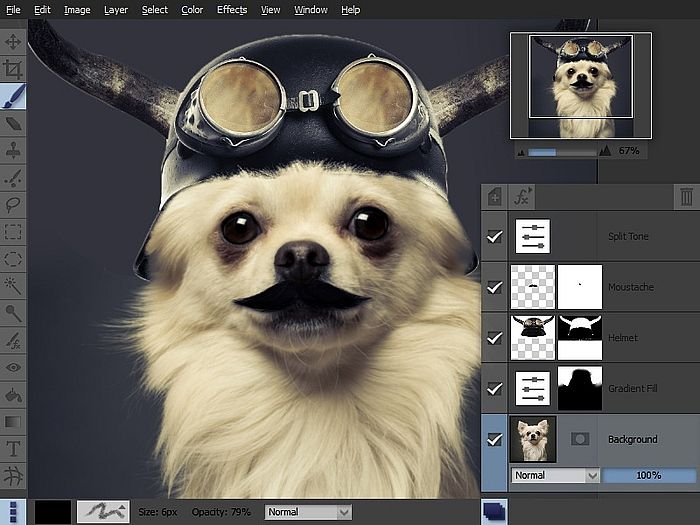
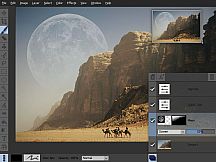
Using layers and masks can be an incredibly powerful way to build up complex images non-destructively.

  • Create unlimited layers and blend them together using one of the many blending modes
  • Use adjustment layers to keep color adjustments editable
  • Text layers also remain editable, so the text, fonts and styling can be altered at any point
  • Add a layer mask to any layer to control which areas should be visible
  • Create masks from selections and vice versa

Filters and Effects


Pixeluvo contains a wide selection of powerful filters and effects, from all kinds of blurs and distortion filters, to advanced image enhancement and unique painterly effects.

  • Remove noise and jpeg compression artifacts
  • Boost detail
  • Add a tilt-shift (miniturise) effect
  • Turn a photo into a beautiful drawing with the charcoal and chalk filter
  • Add a realistic lens flare with the flexible lens flare filter
  • And many more.

Modern User-Interface


Pixeluvo’s interface has been carefully designed to be intuitive, beautiful, and to stay out of your way wherever possible. We think that you should be spending your time making your images look amazing, not wrestling with the user-interface. We have tried hard to make Pixeluvo as easy to use as possible, whilst at the same time making sure it is pleasing to look at.

  • Simple and intuitive controls
  • Panels can be hidden when they are not needed to allow the maximum room for your images
  • Make the most of every pixel with full-screen mode
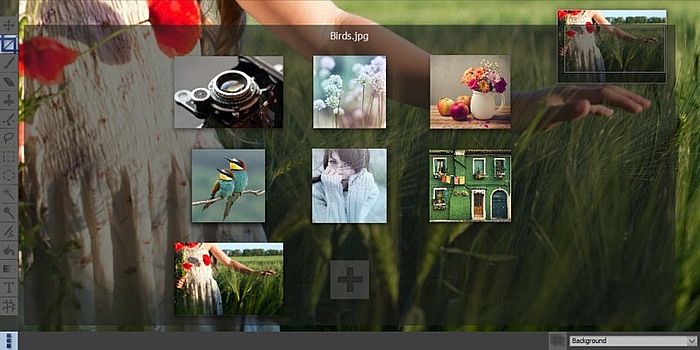
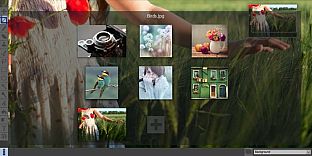
  • Quickly view and switch between all open projects with ‘exposé’ view

Interfaccia:
English

Classificazione per età

Non disponibile
Steam:
Positive (206)

Minimo:

  • Processore: Intel Pentium 4, AMD Opteron with SSE2 support
  • Memoria: 4 GB RAM
  • Archiviazione: 100 MB available space

Consigliato:

  • Sistema operativo: Windows 10 or later
  • Processore: Dual or Quad Core Processor
  • Memoria: 8 GB RAM
  • Archiviazione: 200 MB available space
Minimo storico
Storico prezzi dei negozi ufficiali
-
-
-
Storico prezzi dei keyshop
-
-
-

FAQ

8 domande

Prima di cercare una chiave economica di Pixeluvo, controlla le informazioni essenziali. Sviluppato da Pictopotamus. Pubblicato da Pictopotamus. Data di uscita su PC: 14 ago 2014. Generi: Design & Illustration, Photo Editing.

Q

Dove comprare una chiave Steam di Pixeluvo a poco?

Grazie al nostro comparatore di prezzi e ai codici sconto verificati, puoi acquistare una chiave di Pixeluvo a partire da 31,99 €. Questa offerta è disponibile su Steam ed è tra le più economiche sul mercato. Tutte le chiavi su XD.deals vengono consegnate in formato digitale e sono disponibili per il download immediato dopo il pagamento. I prezzi includono già le commissioni e i codici promozionali applicati, così vedi sempre il prezzo più basso di Pixeluvo su PC. Controlla lo storico prezzi di Pixeluvo per acquistare al momento migliore.

Secondo il nostro ultimo aggiornamento (aggiorniamo i prezzi Steam più volte al giorno), il prezzo di Pixeluvo su Steam è 31,99 €. Puoi risparmiare un ulteriore ~6% pagando con una carta regalo Steam scontata.

Il nostro tracker dei prezzi copre sia i rivenditori ufficiali che i marketplace di chiavi, così puoi trovare Pixeluvo in offerta anche al di fuori delle promozioni stagionali. Al momento rileviamo 1 offerta attiva da store ufficiali e keyshop. Controlla la tabella qui sopra, confronta con il minimo storico e imposta un avviso per non perdere il prossimo calo di prezzo.

Secondo i nostri dati, Pixeluvo non è attualmente disponibile su GeForce NOW. Dovrai eseguirlo localmente sul tuo PC. Sfoglia i giochi disponibili su GeForce NOW.

. Pixeluvo ha una pagina ufficiale su Steam. Puoi anche acquistare una chiave Steam di Pixeluvo da venditori terzi. Il nostro comparatore include attualmente 1 offerta con DRM Steam. Scegline una per assicurarti che il download di Pixeluvo avvenga sulla piattaforma di Valve.

Non al momento. Valve classifica Pixeluvo come non supportato su Steam Deck. Tieni d'occhio XD.deals - tracciamo gli aggiornamenti di Proton e le soluzioni della community. Sfoglia i giochi Steam Deck Verified o Steam Deck Playable.

Pixeluvo non sembra essere disponibile su PC Game Pass, EA Play, Ubisoft+ o altri servizi in abbonamento per PC al momento. L'unica opzione è acquistare il gioco - usa XD.deals per trovare il prezzo migliore.

No - XD.deals non è un negozio. Siamo un comparatore di prezzi che traccia le migliori offerte per Pixeluvo tra store ufficiali e keyshop verificati. Clicca "Vai al negozio" accanto a qualsiasi offerta e verrai reindirizzato al sito del rivenditore per completare l'acquisto.

Migliori prezzi per Pixeluvo

1 Steam Steam Official
31,99 €

Vuoi comprare al momento migliore? Imposta un avviso di prezzo su XD.deals e ricevi una notifica quando Pixeluvo raggiunge il suo prossimo minimo storico.

Crea avviso
Unisciti al nostro Discord
Ottieni aiuto immediato dalla community e resta aggiornato sulle offerte
Imposta avvisi di prezzo
Ricevi notifiche via email quando i prezzi scendono al tuo target
Crea un account gratuito
Sblocca wishlist, avvisi di prezzo e sincronizzazione Steam