

Compra Sticky Apps :: Monitor Ping PC

Dove comprare la chiave Steam Sticky Apps :: Monitor Ping {6} più economica? Confronta i prezzi da 1 store e scegli la soluzione migliore tra 1 offerte su XD.deals. Al momento il prezzo {6} più basso per Sticky Apps :: Monitor Ping nei keyshop è su 3,29 € (0% di sconto).

Uscita: 08 mag 2019
Steam:
Positive (36)
Keyshops
Non disponibile
Compra nello store ufficiale:
3,29 €
Compra nei keyshop:
Vedi storico prezzi

Store ufficiali (1)

DRM:
Steam
Steam
Steam
Sticky Apps :: Monitor Ping
Windows
1a fa
DRM:
Steam
Steam
3,29 €
Historical Low Deal
Historical low

Info su Sticky Apps :: Monitor Ping

Sticky Apps :: Monitor Ping - info sul gioco
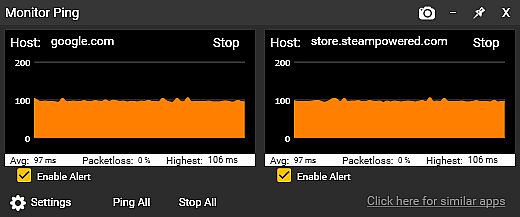
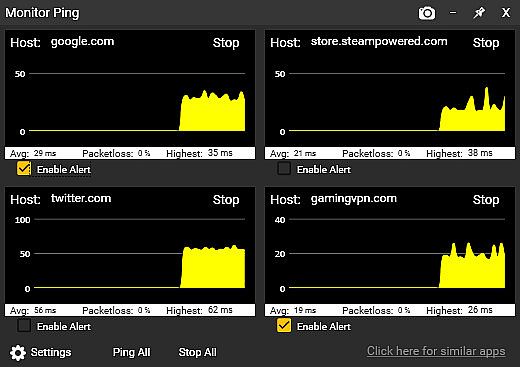
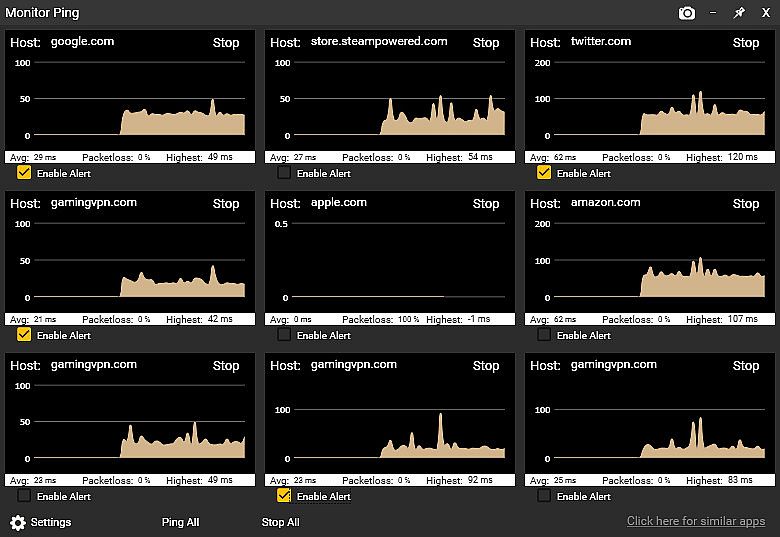
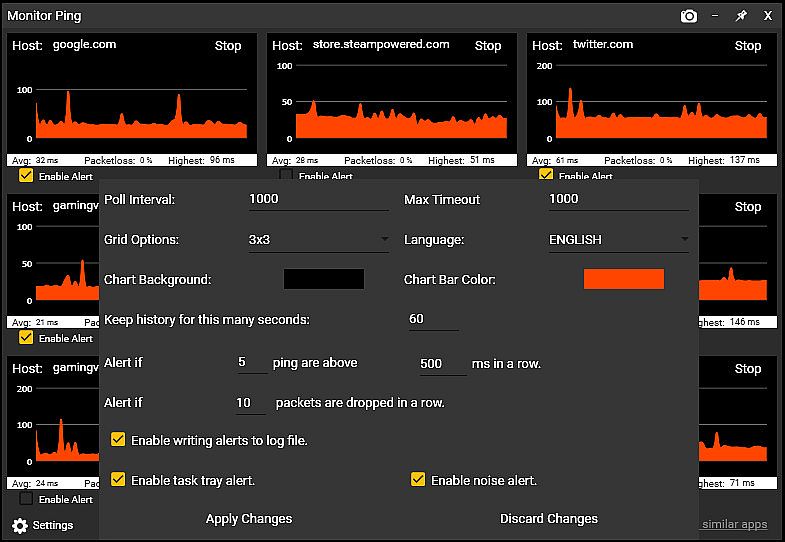
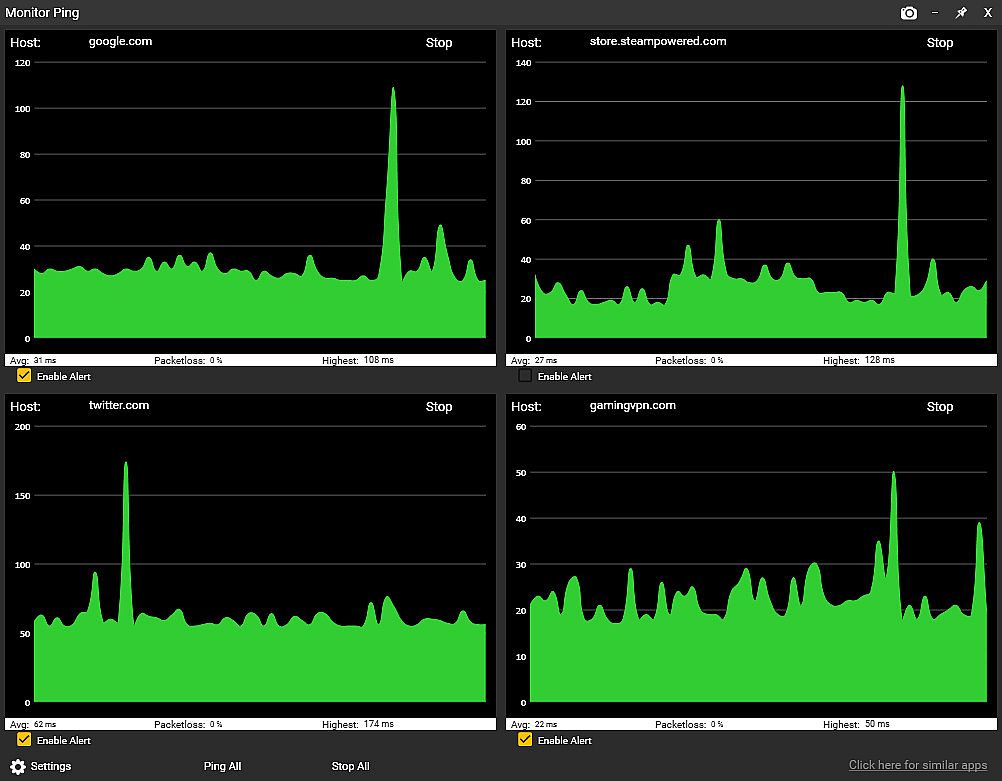
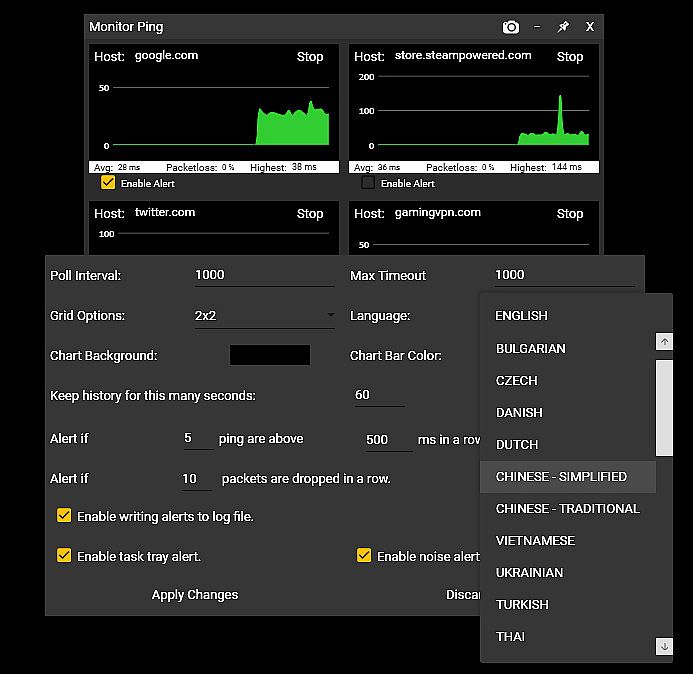
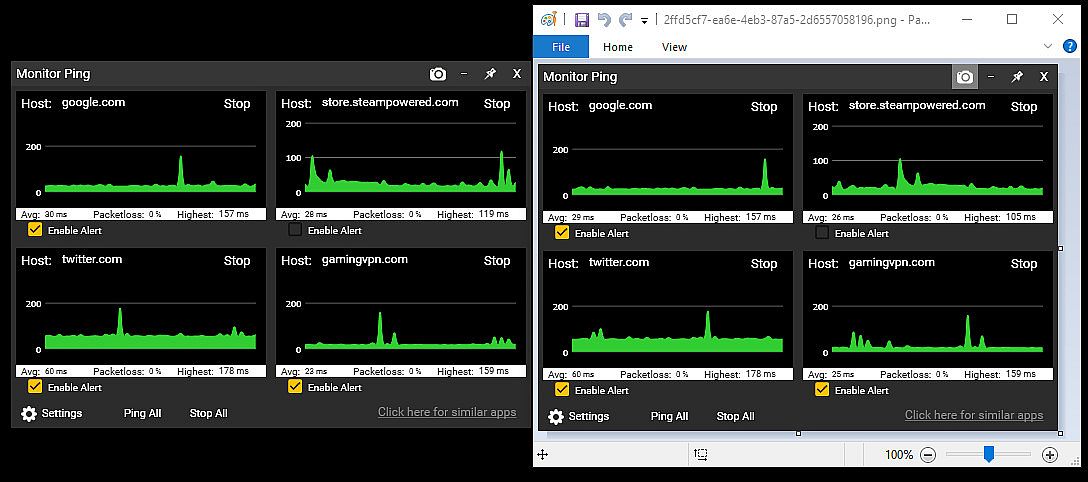
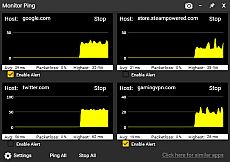
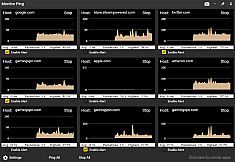
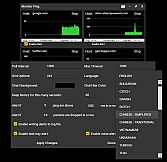
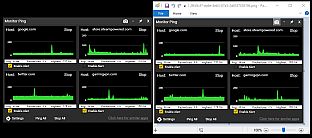
Sticky Apps :: Monitor Ping ti permette di tenere d'occhio latenza di rete e packet loss verso più server internet direttamente dalla scrivania del tuo PC. Posiziona i monitor grafici dove vuoi per controllare al volo i ping a server di gioco, siti di streaming o il tuo ISP. Regola il numero di destinazioni, schemi di colore, storico dei grafici da 60 secondi a 60 minuti e imposta avvisi per latenza elevata o packet loss tramite icone nella task tray, audio o log. Questo tool supera i comandi da prompt dos interrogando simultaneamente le location salvate, esportando grafici PNG con un clic e registrando i problemi in modo continuo, il tutto con un consumo minimo di banda a 32 byte al secondo per monitor. Gamer e streamer verificano router, hop dell'ISP, host affidabili come 8.8.8.8 e server di gioco per identificare le cause del lag, da interferenze WiFi a problemi sulla backbone.


Sticky Apps :: Monitor Ping is an application to view your network connection to multiple systems on the Internet. This is a great way to monitor your PING/network to game servers, video streaming servers, or your ISP in general. This software is titled "Sticky Apps" as each application can be stickied to your desktop, allowing for easy viewing of information.
MONITOR YOUR PING

  • Monitor your ping to various servers on the Internet
  • Change the number of destinations you monitor
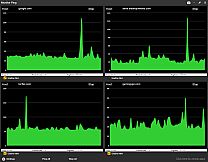
  • Change colors scheme to fit your needs
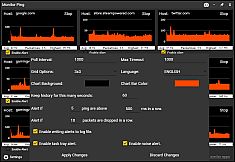
  • Provide alerts if latency/ping gets too high
  • Provide alerts if packet-loss exists
  • Sticky this anywhere on your desktop
  • Export an image of your ping statistics


What is the difference between this and command prompt ping?
The built-in Windows command prompt ping is more of a real-time latency checker to a single host. This Monitor Ping application improves upon that in several ways:
  • Ping multiple locations at once with a simple click (it saves locations)
  • Has a graphical interface that you can scale in size to give an immediate, visual representation of latency
  • Can alert you if packet-loss exceeds a certain threshold
  • Can alert you if real-time latency exceeds a certain threshold
  • Provides an ongoing log-file of packet-loss and excess latency
  • Tracks packetloss in an ongoing fashion
  • Has options to enable the tracking graph size (eg, 60 seconds of history vs 60 minutes)
  • Is visually pleasing
  • Can 1-click export the graph into an image (PNG)

Won't this use up a lot of bandwidth?
Not at all! Each monitor uses approx. 32 bytes of traffic per second in/out. To put that in perspective, you can poll a server 32,000 times before it uses even 1 MB in/out. By comparison, just watching a single second (1 second) of 1080p video on Youtube uses roughly 100,000 times more bandwidth than each monitor you have running.

Why would I use this?
This is a great way to decide "Is it me?" by doing the following:

  • Set up Monitor #1 to be your router (ie, 192.168.0.1 / 10.0.0.1 or such).
  • Set up Monitor #2 to be your next-up hop of your ISP (do a tracert to determine this).
  • Set up Monitor #3 to be something typically very reliable. I suggest 8.8.8.8 or google . com
  • Set up Monitor #4 to be an online game server you typically play on.

Now let's say you're getting drops from your favorite game server, or experiencing lag. Just by looking at the Monitor Ping app, you can now confirm some very important information.

  • Is it between your PC and your router (such as bad wifi?). Well, just check Graph #1 and that will answer it. No packetloss + steady latency = not a wifi problem.
  • Is it your connection between your home and your ISP such as a cable model issue? Well, cheeck Graph #2 and that will answer it.
  • Is it your ISP backbone? Well, Graph #3 will help answer that.
  • Is it the actual game server's network? Graph #4 will help that.
This application is a great first step in determining network connectivity issues, as well as just having an overall monitor to see how things are operating.
RECENT UPDATES

New Alerts System!


You can now receive alerts/notification of packetloss as well as high latency by the following methods:
  • Windows task tray icon alert
  • Audio alert
  • Log-file entry of the alert

Support For 25+ Languages!

The application now supports all supported Steam languages!

Interfaccia:
ArabicBulgarianCzechDanishGermanGreekEnglishSpanish - SpainSpanish - Latin AmericaFinnishFrenchHungarianItalianJapaneseKoreanDutchNorwegianPolishPortuguese - PortugalPortuguese - BrazilRomanianRussianSwedishThaiTurkishUkrainianVietnameseSimplified ChineseTraditional Chinese

Classificazione per età

Non disponibile
Steam:
Positive (36)

Minimo:

  • Processore: Any CPU
  • Memoria: 150 MB RAM
  • Grafica: Any semi-modern GPU

Consigliato:

  • Processore: Any CPU
  • Memoria: 150 MB RAM
  • Grafica: Any semi-modern GPU
Minimo storico
Storico prezzi dei negozi ufficiali
-
-
-
Storico prezzi dei keyshop
-
-
-

FAQ

8 domande

Prima di cercare una chiave economica di Sticky Apps :: Monitor Ping, controlla le informazioni essenziali. Sviluppato da Tim Sullivan. Pubblicato da Tim Sullivan. Data di uscita su PC: 08 mag 2019. Generi: Utilities, Design & Illustration. Categorie: Stats, Steam Achievements.

Q

Dove comprare una chiave Steam di Sticky Apps :: Monitor Ping a poco?

Grazie al nostro comparatore di prezzi e ai codici sconto verificati, puoi acquistare una chiave di Sticky Apps :: Monitor Ping a partire da 3,29 €. Questa offerta è disponibile su Steam ed è tra le più economiche sul mercato. Tutte le chiavi su XD.deals vengono consegnate in formato digitale e sono disponibili per il download immediato dopo il pagamento. I prezzi includono già le commissioni e i codici promozionali applicati, così vedi sempre il prezzo più basso di Sticky Apps :: Monitor Ping su PC. Controlla lo storico prezzi di Sticky Apps :: Monitor Ping per acquistare al momento migliore.

Secondo il nostro ultimo aggiornamento (aggiorniamo i prezzi Steam più volte al giorno), il prezzo di Sticky Apps :: Monitor Ping su Steam è 3,29 €. Puoi risparmiare un ulteriore ~6% pagando con una carta regalo Steam scontata.

Il nostro tracker dei prezzi copre sia i rivenditori ufficiali che i marketplace di chiavi, così puoi trovare Sticky Apps :: Monitor Ping in offerta anche al di fuori delle promozioni stagionali. Al momento rileviamo 1 offerta attiva da store ufficiali e keyshop. Controlla la tabella qui sopra, confronta con il minimo storico e imposta un avviso per non perdere il prossimo calo di prezzo.

Secondo i nostri dati, Sticky Apps :: Monitor Ping non è attualmente disponibile su GeForce NOW. Dovrai eseguirlo localmente sul tuo PC. Sfoglia i giochi disponibili su GeForce NOW.

. Sticky Apps :: Monitor Ping ha una pagina ufficiale su Steam. Puoi anche acquistare una chiave Steam di Sticky Apps :: Monitor Ping da venditori terzi. Il nostro comparatore include attualmente 1 offerta con DRM Steam. Scegline una per assicurarti che il download di Sticky Apps :: Monitor Ping avvenga sulla piattaforma di Valve.

Non al momento. Valve classifica Sticky Apps :: Monitor Ping come non supportato su Steam Deck. Tieni d'occhio XD.deals - tracciamo gli aggiornamenti di Proton e le soluzioni della community. Sfoglia i giochi Steam Deck Verified o Steam Deck Playable.

Sticky Apps :: Monitor Ping non sembra essere disponibile su PC Game Pass, EA Play, Ubisoft+ o altri servizi in abbonamento per PC al momento. L'unica opzione è acquistare il gioco - usa XD.deals per trovare il prezzo migliore.

No - XD.deals non è un negozio. Siamo un comparatore di prezzi che traccia le migliori offerte per Sticky Apps :: Monitor Ping tra store ufficiali e keyshop verificati. Clicca "Vai al negozio" accanto a qualsiasi offerta e verrai reindirizzato al sito del rivenditore per completare l'acquisto.

Migliori prezzi per Sticky Apps :: Monitor Ping

1 Steam Steam Official
3,29 €

Vuoi comprare al momento migliore? Imposta un avviso di prezzo su XD.deals e ricevi una notifica quando Sticky Apps :: Monitor Ping raggiunge il suo prossimo minimo storico.

Crea avviso
Unisciti al nostro Discord
Ottieni aiuto immediato dalla community e resta aggiornato sulle offerte
Imposta avvisi di prezzo
Ricevi notifiche via email quando i prezzi scendono al tuo target
Crea un account gratuito
Sblocca wishlist, avvisi di prezzo e sincronizzazione Steam