




Compra Kurisu PC

Dove comprare la chiave Steam Kurisu {6} più economica? Confronta i prezzi da 1 store e scegli la soluzione migliore tra 1 offerte su XD.deals. Al momento il prezzo {6} più basso per Kurisu nei keyshop è su 3,99 € (0% di sconto).

Uscita: 17 lug 2024
Steam:
Overwhelmingly Positive (12)
Keyshops
Non disponibile
Compra nello store ufficiale:
3,99 €
Compra nei keyshop:
Vedi storico prezzi

Store ufficiali (1)

DRM:
Steam
Steam
Steam
Kurisu
Windows
+2
22sett fa
DRM:
Steam
Steam
3,99 €

Info su Kurisu

Kurisu - info sul gioco
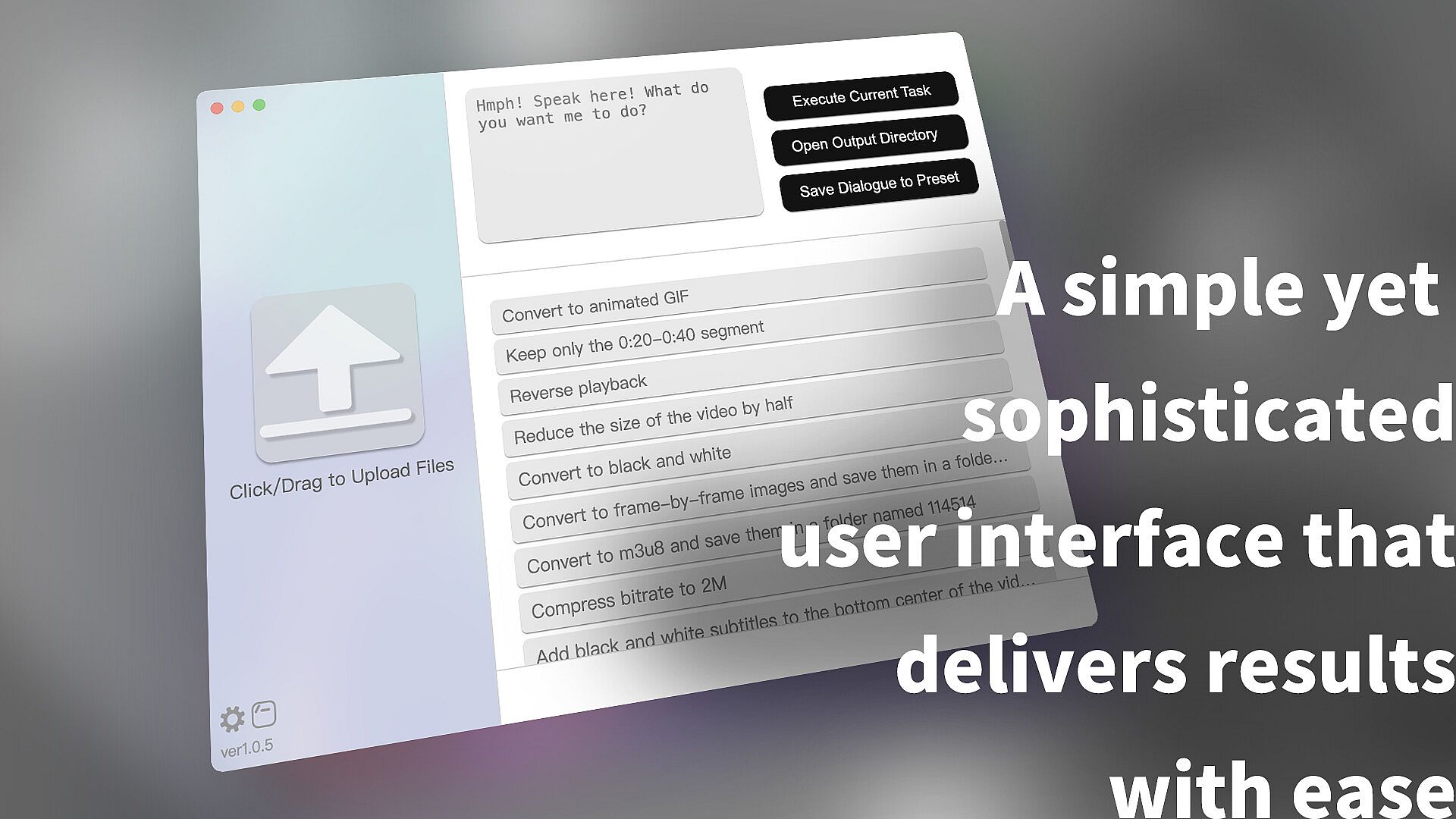
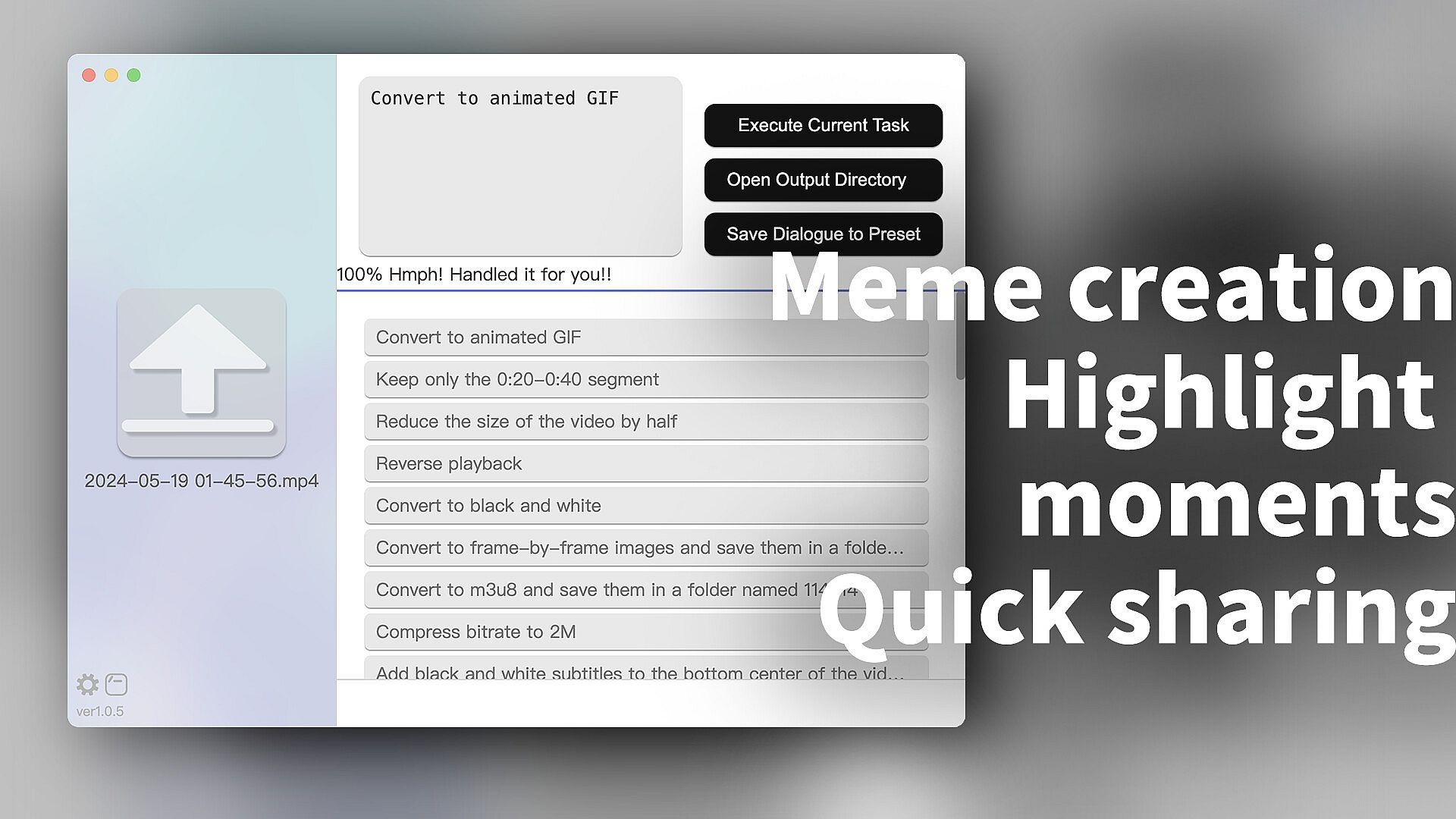
Kurisu streamlines audio production, video production, and photo editing through simple text chat commands. Pick files from the left panel, type your instructions in the top-right dialog, or tap pre-loaded presets for quick results. Handle tasks like rotating clips, resizing images, converting formats, clipping segments, creating GIFs, speed adjustments, batch processing, subtitle addition, or special effects-all powered by FFmpeg for speed without needing your own setup. This utility integrates ChatGPT via a built-in relay server, generating precise commands without direct AI output or previews, so pair it with a player for timeline checks. Open-source under GPLv3 on GitHub, it suits creators needing fast, straightforward media workflows over complex software launches. PC users, including macOS M-series via native ARM launch, get reliable transcoding without API hassles.

What is Kurisu?

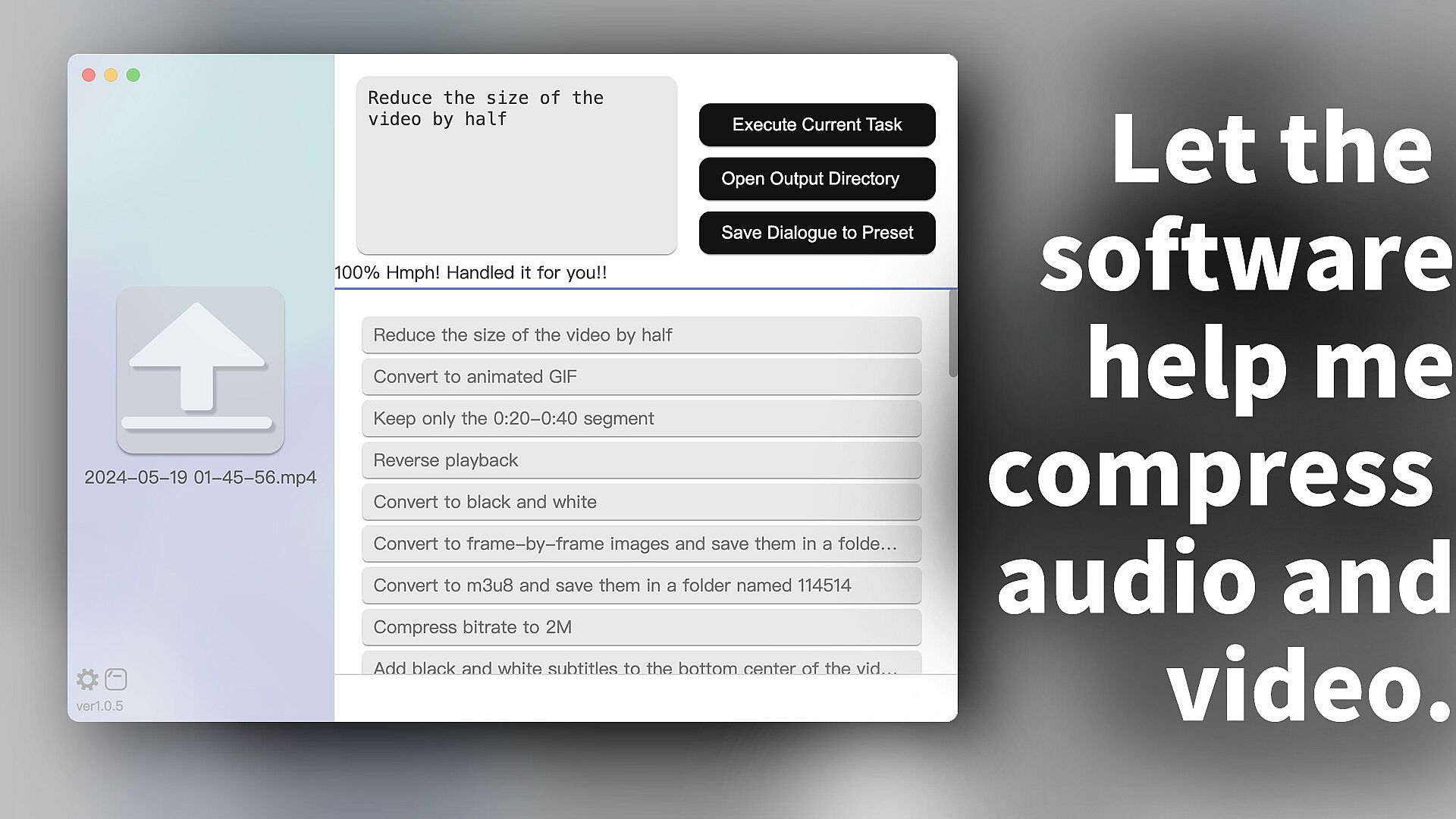
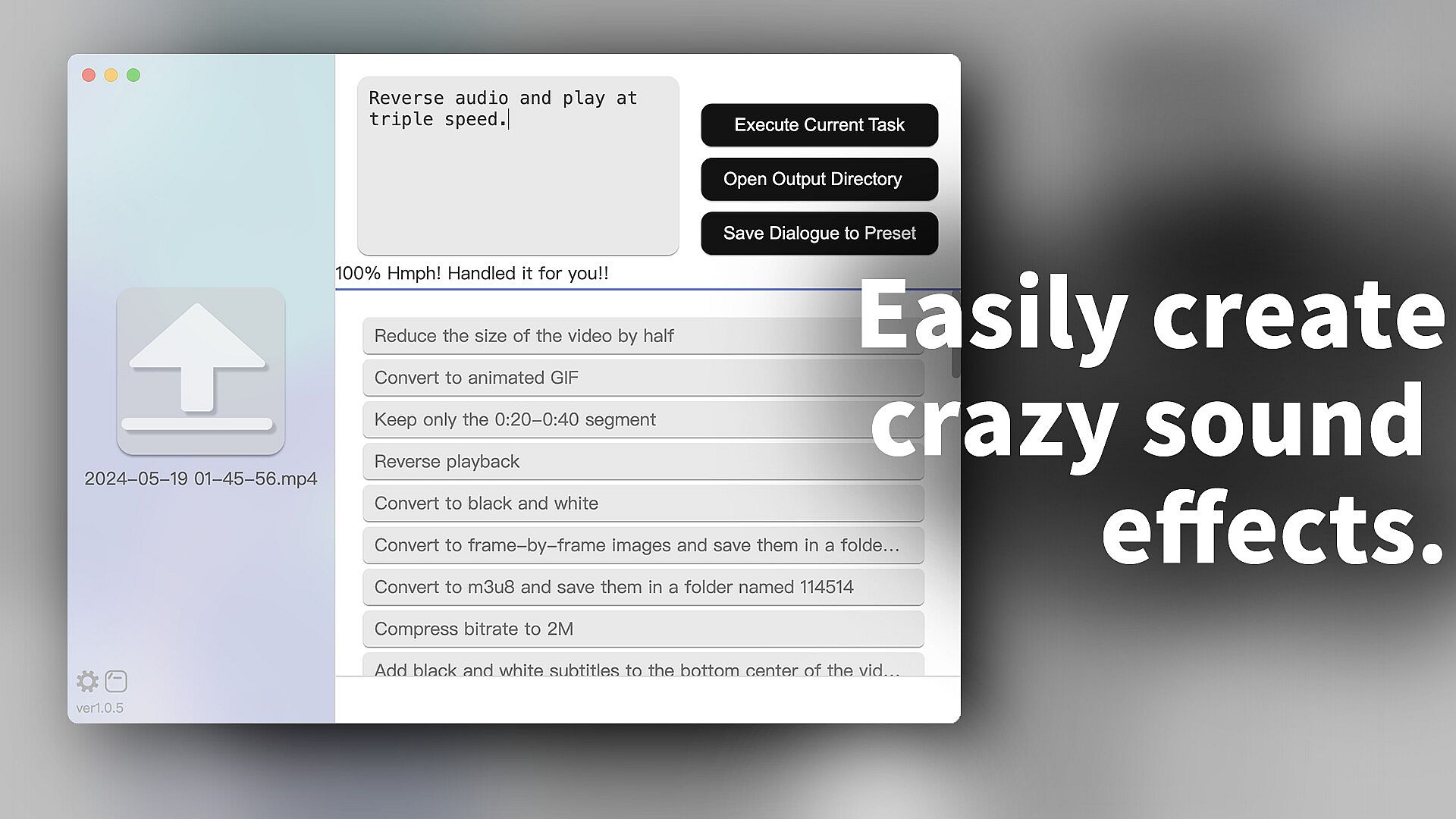
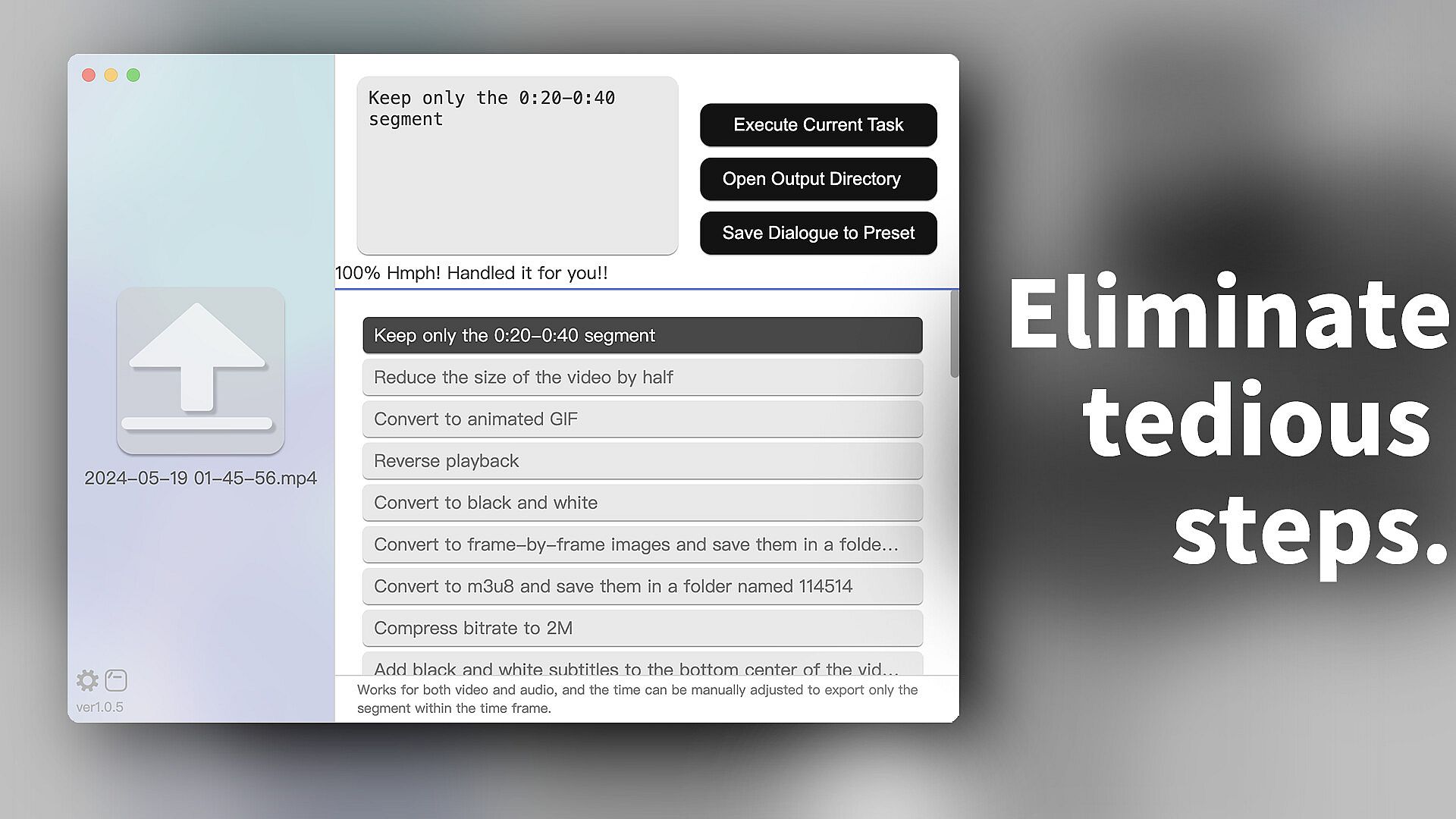
Kurisu is a tool that allows for audio and video editing, image editing, and transcoding through text chat. It’s so straightforward that by the time you've finished processing a video, your colleague might still be waiting for their video software to launch, load the video, edit, and export it. For most simple operations, such as rotating, changing resolution, resizing, converting file formats, clipping a segment, converting to GIF, or playing at different speeds, Kurisu is much faster than existing audio and video editing software on the market. Additionally, it supports batch processing, allowing you to select multiple files at once. It also supports adding subtitles or special effects to videos.
Does it have so many features that it's complicated to use?

Not at all. Just select the files on the left side, and then directly type what you want to do in the dialog box at the top right. Additionally, the right side provides pre-loaded dialogues, allowing you to easily use existing conversations to complete operations. You can also add your own dialogues to the presets. The promotional images, software icons, and promotional videos for this software were all edited and processed using Kurisu.
How does the software achieve this?

First of all, it integrates OpenAI’s ChatGPT service internally, but for this software, it is provided free for users to use. Yes, you don't need to provide your own API key; the program has its own relay server built-in, so you can use it right out of the box. The audio and video editing and image processing functions come from the famous FFmpeg. This means that anything FFmpeg can do, this software can do. However, it also means that it can only do what FFmpeg can do. Therefore, it cannot visualize the video preview like professional video editing software; the preview work may need to be done with another player to lock the required timeline. However, compared to professional video editing software, this software can batch process for simple clipping or packaging operations.This project also follows the FFmpeg protocol and uses the GPLv3 open source license. It can be found under MCDFsteve/Kurisu on GitHub.

Although it integrates ChatGPT, users cannot directly interact with AI as it is set not to output actual content but only returns commands based on user needs for the system to execute. Theoretically, it cannot be used to create harmful content.
What to Do If You Get an Error at Startup
A very strange issue occurs where some antivirus software flags the main program file as suspicious (or as a virus) and then quarantines or deletes it. In such cases, manually adding it to the whitelist can resolve the problem.
A Note for macOS Users with M Series Processors

Steam will default to running this program in x64 through translation. It works fine but starts up slowly. It is recommended to right-click in the library - Manage - Browse Local Files, and launch the program in Finder, which will work natively in ARM mode.

Interfaccia:
EnglishJapaneseKoreanRussianSimplified ChineseTraditional Chinese
Sottotitoli:
EnglishJapaneseKoreanRussianSimplified ChineseTraditional Chinese

Classificazione per età

Non disponibile
Steam:
Overwhelmingly Positive (12)

Minimo:

  • Sistema operativo: Windows 10 64bit
  • Processore: 2.3Ghz Intel or AMD
  • Memoria: 300 MB RAM
  • Grafica: 2G VRAM Intel or AMD or NVIDIA
  • DirectX: Version 9.0
  • Archiviazione: 500 MB available space
  • Note aggiuntive: Broadband Internet connection

Consigliato:

  • Sistema operativo: Windows10 64bit
  • Processore: Intel i5 13400 or AMD 5600
  • Memoria: 500 MB RAM
  • Grafica: NVIDIA RTX 4060
  • DirectX: Version 11
  • Archiviazione: 1 GB available space
  • Note aggiuntive: Broadband Internet connection

Minimo:

  • Sistema operativo: macOS 10.15
  • Processore: Apple M1 or Intel Core
  • Memoria: 300 MB RAM
  • Grafica: 2G VRAM Intel or AMD or NVIDIA
  • Archiviazione: 500 MB available space
  • Note aggiuntive: Broadband Internet connection

Consigliato:

  • Sistema operativo: macOS 14.4
  • Processore: Apple M3
  • Memoria: 500 MB RAM
  • Grafica: M4
  • Archiviazione: 1 GB available space
  • Note aggiuntive: Broadband Internet connection

Minimo:

  • Sistema operativo: x64 Linux or SteamOS
  • Processore: 2.3Ghz Intel or AMD
  • Memoria: 300 MB RAM
  • Archiviazione: 500 MB available space
  • Note aggiuntive: Broadband Internet connection

Consigliato:

  • Sistema operativo: x64 Linux or SteamOS
  • Processore: Intel i5 13400 or AMD 5600
  • Memoria: 500 MB RAM
  • Archiviazione: 1 GB available space
  • Note aggiuntive: Broadband Internet connection
Minimo storico
Storico prezzi dei negozi ufficiali
-
-
-
Storico prezzi dei keyshop
-
-
-

FAQ

8 domande

Prima di cercare una chiave economica di Kurisu, controlla le informazioni essenziali. Sviluppato da AimesSoft. Pubblicato da AimesSoft. Data di uscita su PC: 17 lug 2024. Generi: Utilities, Audio Production, Video Production, Design & Illustration, Photo Editing.

Q

Dove comprare una chiave Steam di Kurisu a poco?

Grazie al nostro comparatore di prezzi e ai codici sconto verificati, puoi acquistare una chiave di Kurisu a partire da 3,99 €. Questa offerta è disponibile su Steam ed è tra le più economiche sul mercato. Tutte le chiavi su XD.deals vengono consegnate in formato digitale e sono disponibili per il download immediato dopo il pagamento. I prezzi includono già le commissioni e i codici promozionali applicati, così vedi sempre il prezzo più basso di Kurisu su PC. Controlla lo storico prezzi di Kurisu per acquistare al momento migliore.

Secondo il nostro ultimo aggiornamento (aggiorniamo i prezzi Steam più volte al giorno), il prezzo di Kurisu su Steam è 3,99 €. Puoi risparmiare un ulteriore ~6% pagando con una carta regalo Steam scontata.

Il nostro tracker dei prezzi copre sia i rivenditori ufficiali che i marketplace di chiavi, così puoi trovare Kurisu in offerta anche al di fuori delle promozioni stagionali. Al momento rileviamo 1 offerta attiva da store ufficiali e keyshop. Controlla la tabella qui sopra, confronta con il minimo storico e imposta un avviso per non perdere il prossimo calo di prezzo.

Secondo i nostri dati, Kurisu non è attualmente disponibile su GeForce NOW. Dovrai eseguirlo localmente sul tuo PC. Sfoglia i giochi disponibili su GeForce NOW.

. Kurisu ha una pagina ufficiale su Steam. Puoi anche acquistare una chiave Steam di Kurisu da venditori terzi. Il nostro comparatore include attualmente 1 offerta con DRM Steam. Scegline una per assicurarti che il download di Kurisu avvenga sulla piattaforma di Valve.

Non al momento. Valve classifica Kurisu come non supportato su Steam Deck. Tieni d'occhio XD.deals - tracciamo gli aggiornamenti di Proton e le soluzioni della community. Sfoglia i giochi Steam Deck Verified o Steam Deck Playable.

Kurisu non sembra essere disponibile su PC Game Pass, EA Play, Ubisoft+ o altri servizi in abbonamento per PC al momento. L'unica opzione è acquistare il gioco - usa XD.deals per trovare il prezzo migliore.

No - XD.deals non è un negozio. Siamo un comparatore di prezzi che traccia le migliori offerte per Kurisu tra store ufficiali e keyshop verificati. Clicca "Vai al negozio" accanto a qualsiasi offerta e verrai reindirizzato al sito del rivenditore per completare l'acquisto.

Migliori prezzi per Kurisu

1 Steam Steam Official
3,99 €

Vuoi comprare al momento migliore? Imposta un avviso di prezzo su XD.deals e ricevi una notifica quando Kurisu raggiunge il suo prossimo minimo storico.

Crea avviso
Unisciti al nostro Discord
Ottieni aiuto immediato dalla community e resta aggiornato sulle offerte
Imposta avvisi di prezzo
Ricevi notifiche via email quando i prezzi scendono al tuo target
Crea un account gratuito
Sblocca wishlist, avvisi di prezzo e sincronizzazione Steam










