Compra CyberLink ScreenRecorder 3 Deluxe PC

Ti interessa CyberLink ScreenRecorder 3 Deluxe? Stiamo tracciando i prezzi dagli store affidabili. Aggiungi CyberLink ScreenRecorder 3 Deluxe alla wishlist e ti avviseremo quando saranno disponibili offerte.

Uscita: 22 mag 2018
Steam:
Mostly Positive (18)
Official
Non disponibile
Keyshops
Non disponibile
Compra nello store ufficiale:
Non disponibile
Compra nei keyshop:
Non disponibile

Nessuna offerta al momento, ma non preoccuparti: ti informeremo quando ne comparirĂ  una nuova.

Create Alert Create deal Alert

Info su CyberLink ScreenRecorder 3 Deluxe

CyberLink ScreenRecorder 3 Deluxe - info sul gioco
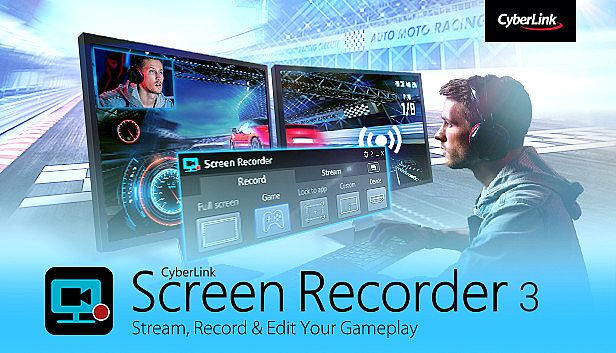
Stream your gameplay directly to Twitch, YouTube, or Facebook in up to Full HD quality with CyberLink ScreenRecorder 3 Deluxe on PC. Capture footage from your PC screen, a specific window, or connected gaming consoles like PlayStation and Xbox. Overlay webcam video and microphone audio to add reactions and commentary, all while keeping CPU and GPU usage low for smooth performance. Edit recordings quickly with simple tools to trim clips, insert titles, transitions, and audio tracks. Produce high-quality videos for gaming highlights, tutorials, or work presentations. Gamers, vloggers, and professionals creating video production and web publishing content will find it essential for engaging audiences.

STREAM YOUR GAMEPLAY TO THE WORLD
Go beyond just streaming in-game action and start creating content that engages with your followers on Twitch, YouTube or Facebook. Integrate webcam commentary into livestreams, or record and edit gameplay to focus on the best bits.
    Livestream to Twitch, YouTube and Facebook
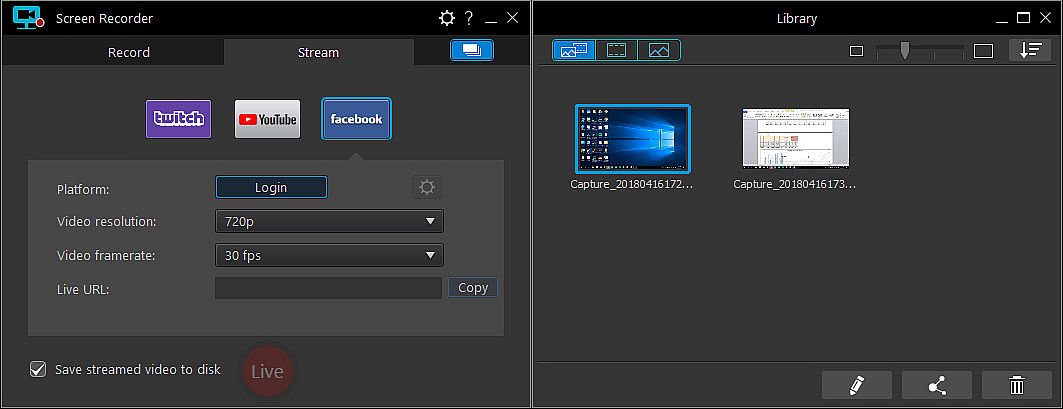
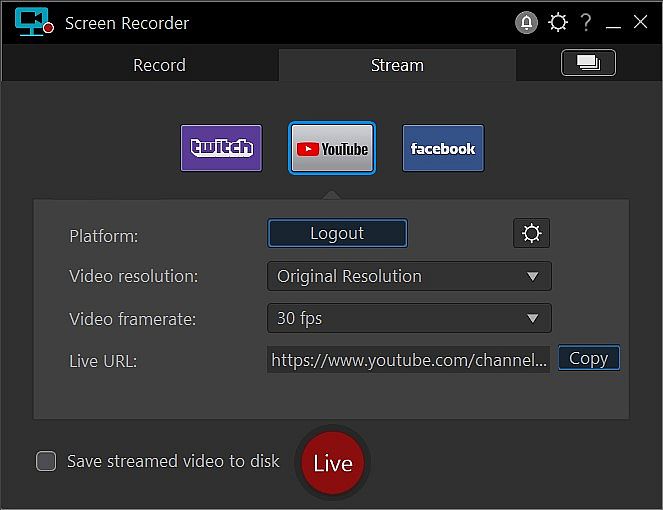
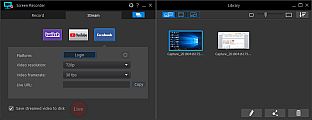
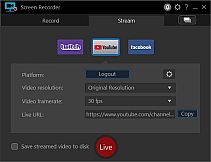
    Using Screen Recorder you can connect directly to the platform of your choice and stream video in up to Full HD quality. Livestreaming gameplay to Twitch, YouTube or Facebook is a great way to share your love of gaming with the world.
    • Stream from gaming consoles
      Streaming on Screen Recorder is not just limited to the PC. You can livestream gameplay from a connected Playstation, Xbox or other popular gaming consoles directly to Twitch, YouTube or Facebook. Add live reaction video from your webcam to really engage with your viewers.

    • Integrate your webcam
      Share more than just your gameplay. Share your gaming secrets, reactions and commentary with your viewers by integrating webcam & microphone audio and video on top of your in-game footage, even when you’re streaming from a gaming console.
    • Reduced system footprint
      We understand that CPU and GPU processing power is vital for smooth gameplay and streaming. While other screen capturing solutions consume far too much of the precious processing power that gamers require, we’ve taken every step possible to ensure Screen Recorder minimizes CPU & GPU load as much as possible for your gameplay. The results speak for themselves with comparative tests showing Screen Recorder 3 performs more than two times better than the nearest popular option on the market. That’s 2 times more processing power you can use!
CREATE VIDEOS FOR ALL AUDIENCES
Powered by CyberLink’s industry-leading video editing tools, Screen Recorder is more than just screen capturing software. Record & edit content to provide your audience with videos that are detailed, high-quality, and informative.

  • Record from PC or console
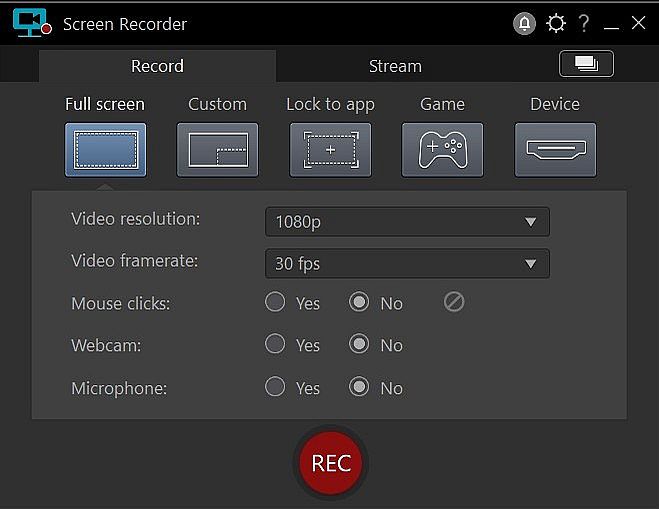
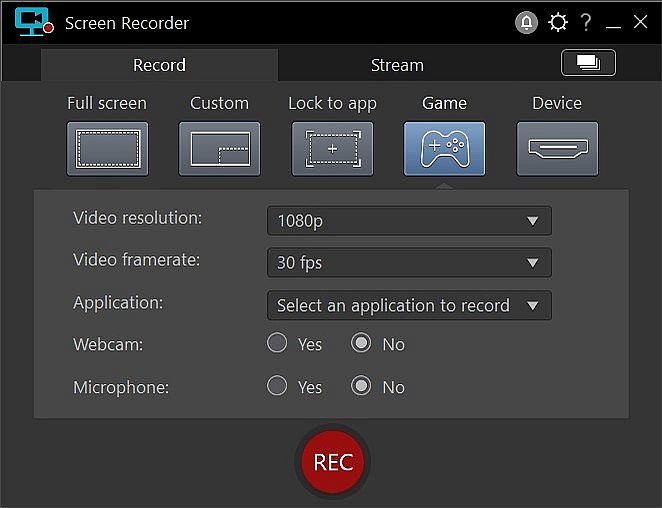
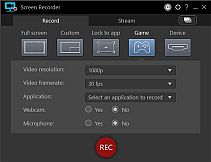
    Whether you’re a vlogger, gamer, or how-to expert, Screen Recorder will have you producing high-quality, detailed videos in next to no time. Record your whole screen, just a window, or lock to a specific app. For gamers, you can record gameplay from your PC even in exclusive mode, and also capture directly from your gaming console!

  • Easy-to-use editing tools
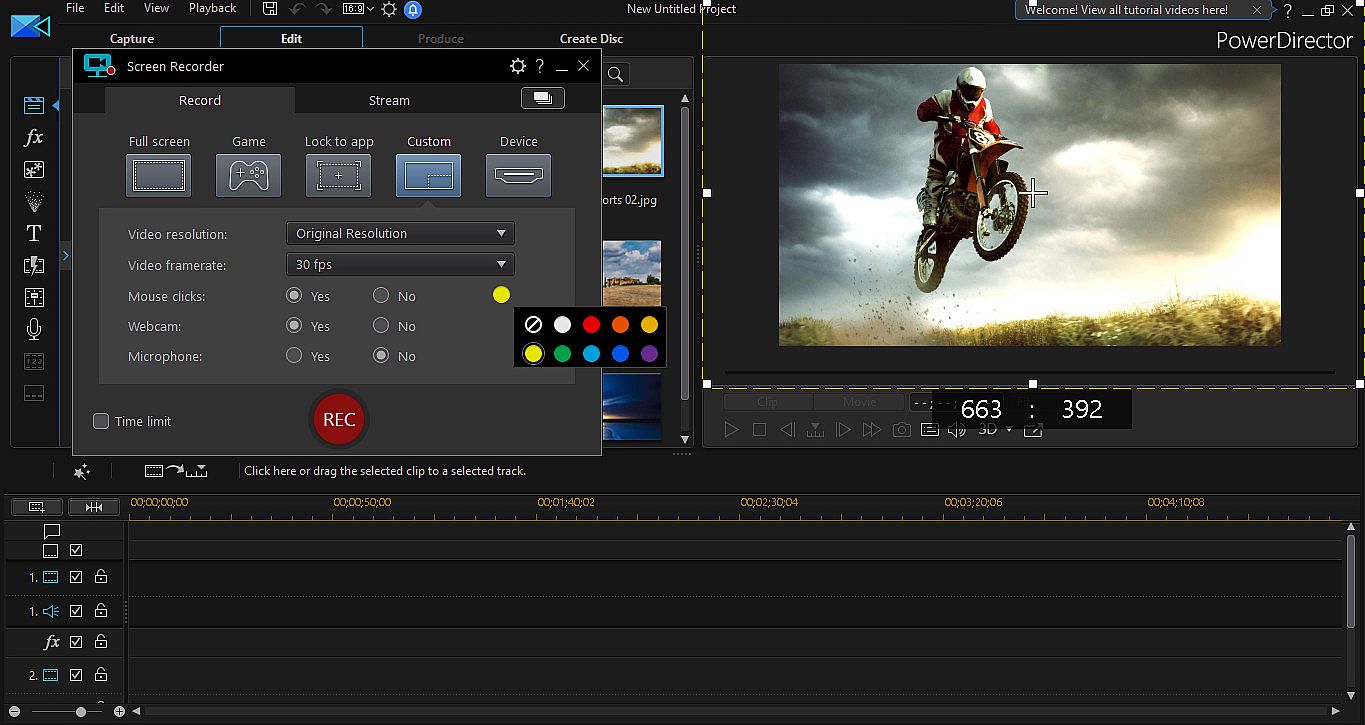
    Don’t spend hours figuring out how to edit your footage. Screen Recorder comes with a remarkably simple editing interface that allows you to quickly import and trim your footage, add titles and transitions, and also add a special audio backing track.
SCREEN CAPTURE FOR WORK
Powered by CyberLink’s industry-leading video editing tools, Screen Recorder is more than just screen capturing software. Record & edit content to provide your audience with videos that are detailed, high-quality, and informative.

  • Record & edit presentations
    Allow staff to review presentations by recording, editing, and publishing them online. Perfect for visually explaining things to collegues, creating tutorials or interactive visual training guides for your teams.
  • Livestream directly to your audience
    Expand your audience by streaming presentation with HD screen sharing and integrated webcam video to YouTube and Facebook. It’s the easiest way to hold interactive presentations and connect with customers and staff.
Interfaccia:
GermanEnglishSpanish - SpainFrenchItalianJapaneseKoreanDutchSimplified ChineseTraditional Chinese
Audio:
GermanEnglishSpanish - SpainFrenchItalianJapaneseKoreanDutchSimplified ChineseTraditional Chinese
Sottotitoli:
GermanEnglishSpanish - SpainFrenchItalianJapaneseKoreanDutchSimplified ChineseTraditional Chinese

Classificazione per etĂ 

Non disponibile
Steam:
Mostly Positive (18)

Minimo:

  • Processore: Intel Core™ i-series or AMD Phenom® II and above
  • Memoria: 2 GB RAM
  • Grafica: Desktop recording: 1GB VGA VRAM or higher
  • Archiviazione: 600 MB available space
  • Note aggiuntive: Windows compatible sound card is required; Internet connection is required for initial software activation, video codec activation and social media services

Consigliato:

  • Processore: Intel Core™ i-series or AMD Phenom® II and above
  • Memoria: 2 GB RAM
  • Grafica: Desktop recording: 1GB VGA VRAM or higher
  • Archiviazione: 600 MB available space
  • Note aggiuntive: Windows compatible sound card is required; Internet connection is required for initial software activation, video codec activation and social media services
Minimo storico
Storico prezzi dei negozi ufficiali
-
-
-
Storico prezzi dei keyshop
-
-
-

FAQ

8 domande

Prima di cercare una chiave economica di CyberLink ScreenRecorder 3 Deluxe, controlla le informazioni essenziali. Sviluppato da CyberLink. Pubblicato da Koch Media. Data di uscita su PC: 22 mag 2018. Generi: Utilities, Audio Production, Video Production, Design & Illustration, Web Publishing.

Q

Dove comprare una chiave Steam di CyberLink ScreenRecorder 3 Deluxe a poco?

Al momento non ci sono offerte attive per CyberLink ScreenRecorder 3 Deluxe. Imposta un avviso di prezzo su XD.deals e ti avviseremo non appena sarĂ  disponibile un'offerta.

Non abbiamo un prezzo attuale dello Steam Store per CyberLink ScreenRecorder 3 Deluxe. Il gioco potrebbe essere temporaneamente non disponibile o non ancora presente su Steam.

Il nostro tracker dei prezzi copre sia i rivenditori ufficiali che i marketplace di chiavi, così puoi trovare CyberLink ScreenRecorder 3 Deluxe in offerta anche al di fuori delle promozioni stagionali. Al momento rileviamo 0 offerte attive da store ufficiali e keyshop. Controlla la tabella qui sopra, confronta con il minimo storico e imposta un avviso per non perdere il prossimo calo di prezzo.

Secondo i nostri dati, CyberLink ScreenRecorder 3 Deluxe non è attualmente disponibile su GeForce NOW. Dovrai eseguirlo localmente sul tuo PC. Sfoglia i giochi disponibili su GeForce NOW.

Sì. CyberLink ScreenRecorder 3 Deluxe ha una pagina ufficiale su Steam, ma al momento non tracciamo offerte di terze parti con DRM Steam. Ricontrolla più tardi o imposta un avviso di prezzo.

Non al momento. Valve classifica CyberLink ScreenRecorder 3 Deluxe come non supportato su Steam Deck. Tieni d'occhio XD.deals - tracciamo gli aggiornamenti di Proton e le soluzioni della community. Sfoglia i giochi Steam Deck Verified o Steam Deck Playable.

CyberLink ScreenRecorder 3 Deluxe non sembra essere disponibile su PC Game Pass, EA Play, Ubisoft+ o altri servizi in abbonamento per PC al momento. L'unica opzione è acquistare il gioco - usa XD.deals per trovare il prezzo migliore.

No - XD.deals non è un negozio. Siamo un comparatore di prezzi che traccia le migliori offerte per CyberLink ScreenRecorder 3 Deluxe tra store ufficiali e keyshop verificati. Clicca "Vai al negozio" accanto a qualsiasi offerta e verrai reindirizzato al sito del rivenditore per completare l'acquisto.

Vuoi comprare al momento migliore? Imposta un avviso di prezzo su XD.deals e ricevi una notifica quando CyberLink ScreenRecorder 3 Deluxe raggiunge il suo prossimo minimo storico.

Crea avviso
Unisciti al nostro Discord
Ottieni aiuto immediato dalla community e resta aggiornato sulle offerte
Imposta avvisi di prezzo
Ricevi notifiche via email quando i prezzi scendono al tuo target
Crea un account gratuito
Sblocca wishlist, avvisi di prezzo e sincronizzazione Steam