Acquista Cyberlink Screen Recorder 4 - Record your games, RPG, car game, shooting gameplay - Game Recording and Streaming Software PC Key

Dove comprare Cyberlink Screen Recorder 4 - Record your games, RPG, car game, shooting gameplay - Game Recording and Streaming Software? Al momento il gioco non è in vendita in nessuno dei negozi che seguiamo. Non significa che resterà così, perché i negozi aggiungono e ritirano titoli di continuo e noi li controlliamo ogni giorno. Imposta un avviso di prezzo e ti scriveremo appena un negozio pubblicherà un'offerta.

Uscita: 27 nov 2018
Steam:
Mixed (26)
Official
Non disponibile
Keyshops
Non disponibile
Compra nello store ufficiale:
Non disponibile
Compra nei keyshop:
Non disponibile

Nessuna offerta al momento, ma non preoccuparti: ti informeremo quando ne comparirĂ  una nuova.

Create Alert Create deal Alert

Info su Cyberlink Screen Recorder 4 - Record your games, RPG, car game, shooting gameplay - Game Recording and Streaming Software

Cyberlink Screen Recorder 4 - Record your games, RPG, car game, shooting gameplay - Game Recording and Streaming Software - info sul gioco
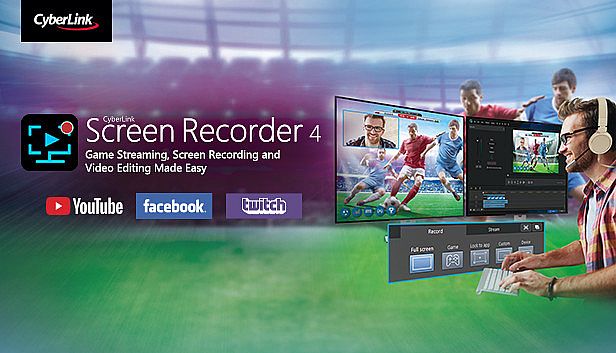
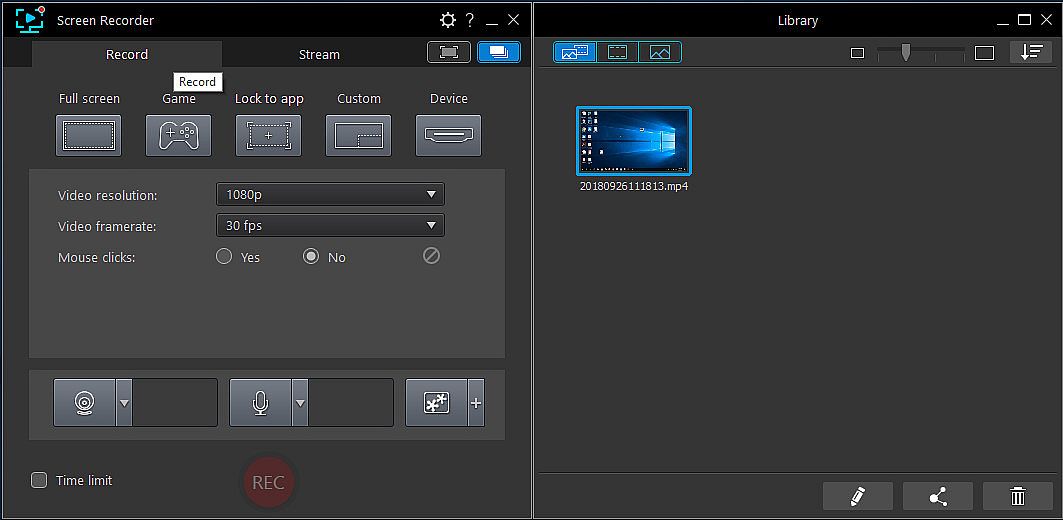
Cattura il gameplay del tuo PC, da RPG e giochi di guida a shooter, con Cyberlink Screen Recorder 4. Trasmetti in live su Twitch, YouTube, Facebook o server personalizzati, e fai multistream fino a cinque piattaforme contemporaneamente. Sovraimponi webcam e audio del microfono alle registrazioni, usa il chroma key per cambiare sfondi e aggiungere overlay per il tuo brand. Registra schermi interi, finestre specifiche o footage bloccato su app, anche in modalitĂ  esclusiva o da console gaming. Anteprima webcam e microfono in tempo reale, imposta hotkey personalizzate per avvii rapidi, pause e screenshot, poi ritaglia i clip con tool di editing semplici per titoli, transizioni e tracce audio doppie. Gamer, vlogger e creatori di tutorial godono di un impatto minimo su CPU/GPU per sessioni fluide.

Livestreaming Online
Start creating content that engages with your followers on Twitch, YouTube or Facebook.
Integrate webcam commentary into livestreams with additional overlay objects.

    Use a Custom Streaming Server
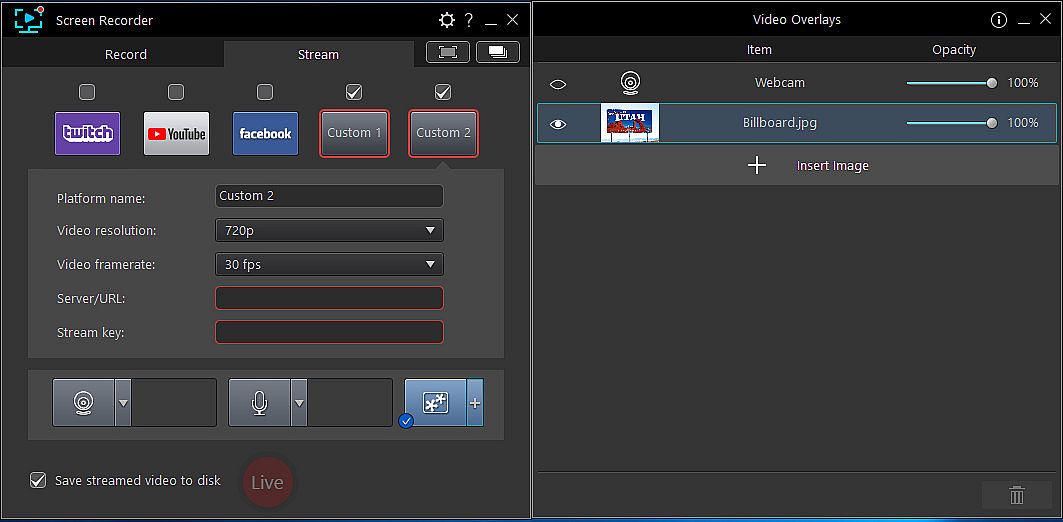
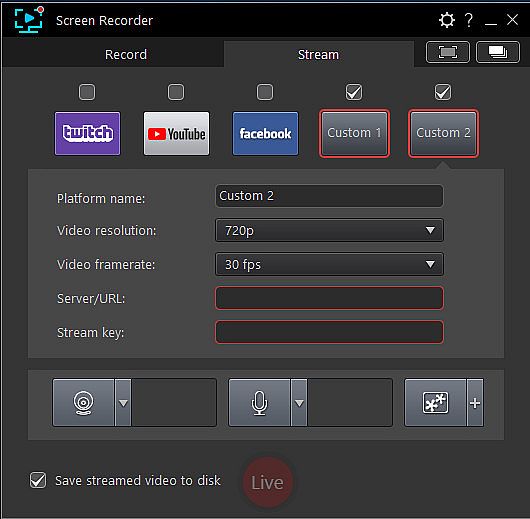
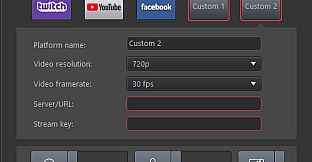
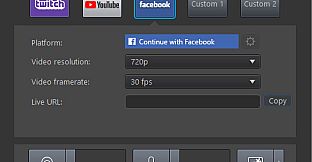
    Not only does Screen Recorder let you stream to your favorite platforms like Twitch, Facebook & YouTube Live, it also lets you use custom streaming servers to reach your audience.
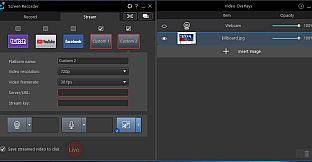
    Multistream to Twitch, YouTube, Facebook and Custom Servers
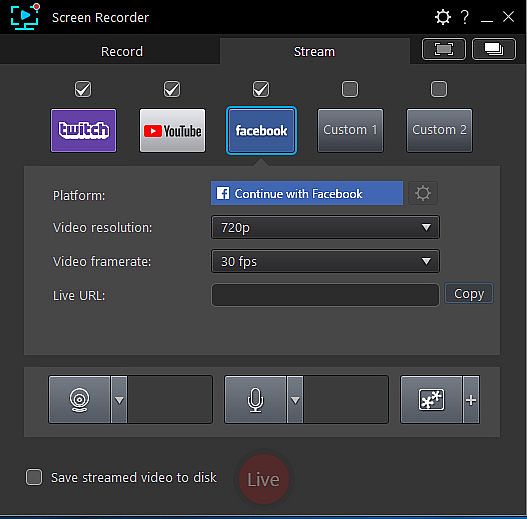
    Screen Recorder lets you multistream to up to five different services. This means you can simultaneously livestream to Twitch, YouTube, and Facebook, plus up-to two additional custom servers. It's an easy to reach a wider audience without the need for additional relay servers.
    Integrate Your Webcam into Livestreams
    Share more than just your gameplay. Share your gaming secrets, reactions and commentary with your viewers by integrating webcam & microphone audio and video on top of your in-game footage, even when you’re streaming from a gaming console. You can also use chroma key to apply a custom background.
    Reduced System Footprint
    We understand that CPU and GPU processing power is vital for smooth gameplay and streaming. While other screen capturing solutions consume far too much of the precious processing power that gamers require, we’ve taken every step possible to ensure Screen Recorder minimizes CPU & GPU load as much as possible for your gameplay.
Record & Edit with Ease
Record & edit content to provide your audience with videos that are detailed, high-quality, and informative.
    Record with Chroma Key
    Get creative when adding webcam footage to your screen recordings. Remove the background from your webcam footage thanks to a powerful chroma key engine, and replace it with your own cool, creative background image.
    Add Overlay Objects to Recordings
    Overlay objects to your desktop and webcam recordings. It's an easy way to brand your videos, promote a sponsor, or add a unique watermark to your recordings.
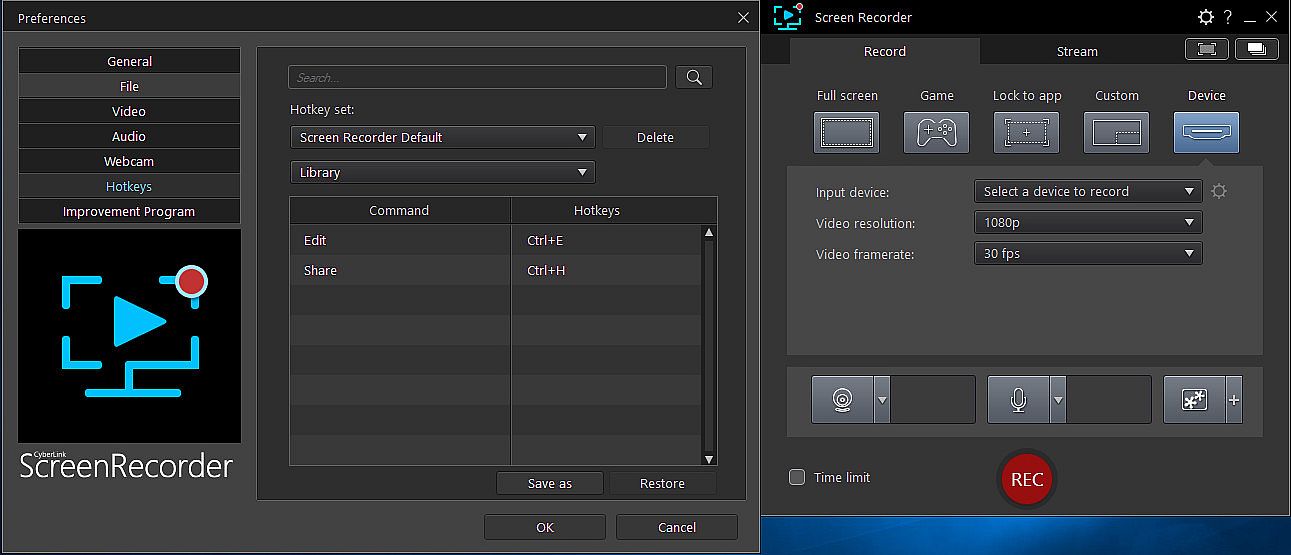
    Customizable Hotkey Support
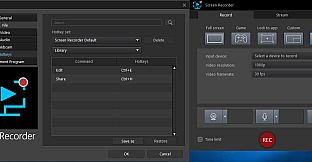
    Get recordings started quicker, mute and unmute instantly, pause without having to touch your mouse, and quicklt take screenshots by setting customized hotkeys for recording and streaming.
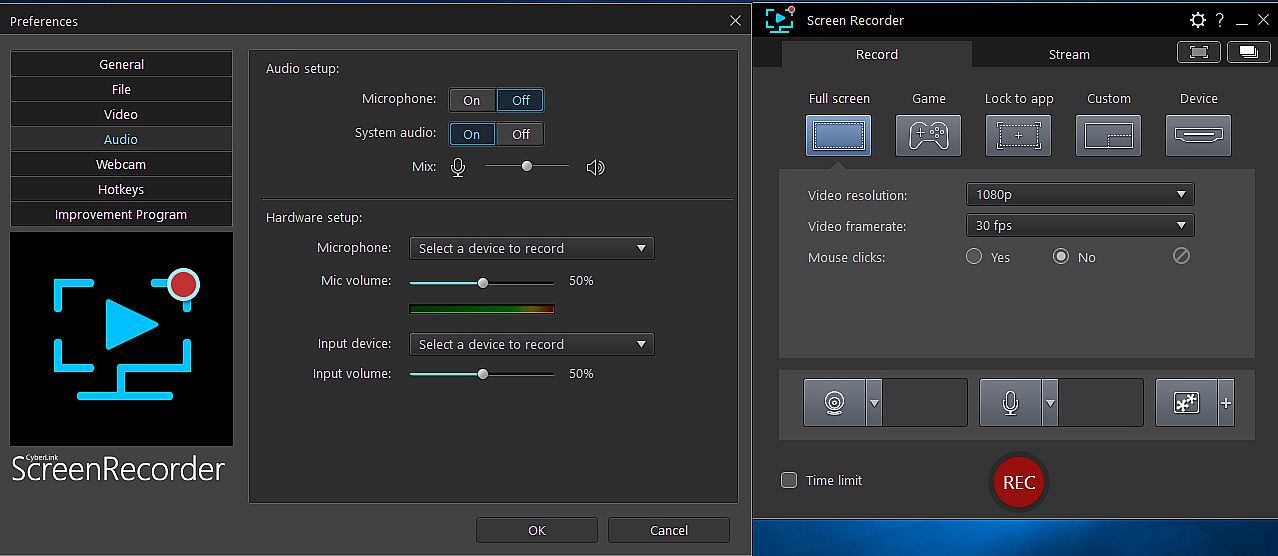
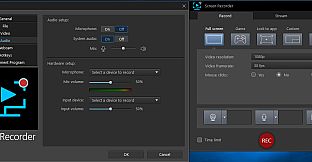
    Real-time Webcam & Mic Preview
    Setup recordings faster with real-time webcam & mic previews. See exactly what you'll look like before you hit record using the preview window, and quickly adjust resolution and settings. The microphone preview allows you to quickly adjust volume and preview audio levels.
    Record from PC or Connected Device
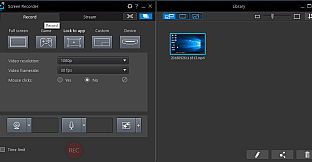
    Whether you’re a vlogger, gamer, or how-to expert, Screen Recorder will have you producing high-quality, detailed videos in next to no time. Record your whole screen, just a window, or lock to a specific app. For gamers, you can record gameplay from your PC even in exclusive mode, and also capture directly from your gaming console!
    Easy-to-use Editing Tools
    Don’t spend hours figuring out how to edit your footage. Screen Recorder comes with a remarkably simple editing interface that allows you to quickly import and trim your footage, add titles and transitions, and also now add two unique audio tracks.
Interfaccia:
GermanEnglishSpanish - SpainFrenchItalianJapaneseKoreanDutchSimplified ChineseTraditional Chinese
Audio:
GermanEnglishSpanish - SpainFrenchItalianJapaneseKoreanDutchSimplified ChineseTraditional Chinese

Classificazione per etĂ 

Non disponibile
Steam:
Mixed (26)

Minimo:

  • Processore: Intel Core™ i-series or AMD Phenom® II and above
  • Memoria: 2 GB RAM
  • Grafica: Desktop recording: 1GB VGA VRAM or higher
  • Archiviazione: 600 MB available space
  • Note aggiuntive: Windows compatible sound card is required; Internet connection is required for initial software activation, video codec activation and social media services

Consigliato:

  • Processore: Intel Core™ i-series or AMD Phenom® II and above
  • Memoria: 2 GB RAM
  • Grafica: Desktop recording: 1GB VGA VRAM or higher
  • Archiviazione: 600 MB available space
  • Note aggiuntive: Windows compatible sound card is required; Internet connection is required for initial software activation, video codec activation and social media services
Minimo storico
Storico prezzi dei negozi ufficiali
29,99 €
Steam
1 mesi fa
Storico prezzi dei keyshop
-
-
-

FAQ

8 domande

Prima di cercare una chiave PC economica di Cyberlink Screen Recorder 4 - Record your games, RPG, car game, shooting gameplay - Game Recording and Streaming Software, controlla le informazioni essenziali. Sviluppato da CyberLink. Pubblicato da Deep Silver. Data di uscita su PC: 27 nov 2018. Generi: Utilities, Audio Production, Video Production, Design & Illustration.

Q

Dove comprare una chiave Steam o CD Key di Cyberlink Screen Recorder 4 - Record your games, RPG, car game, shooting gameplay - Game Recording and Streaming Software a poco?

Al momento non ci sono offerte attive per Cyberlink Screen Recorder 4 - Record your games, RPG, car game, shooting gameplay - Game Recording and Streaming Software. Imposta un avviso di prezzo su XD.deals e ti avviseremo non appena sarĂ  disponibile un'offerta.

Non abbiamo un prezzo attuale dello Steam Store per Cyberlink Screen Recorder 4 - Record your games, RPG, car game, shooting gameplay - Game Recording and Streaming Software. Il gioco potrebbe essere temporaneamente non disponibile o non ancora presente su Steam.

Il nostro tracker dei prezzi copre sia i rivenditori ufficiali che i marketplace di chiavi, così puoi trovare Cyberlink Screen Recorder 4 - Record your games, RPG, car game, shooting gameplay - Game Recording and Streaming Software in offerta anche al di fuori delle promozioni stagionali. Al momento rileviamo 0 offerte attive da store ufficiali e keyshop. Controlla la tabella qui sopra, confronta con il minimo storico e imposta un avviso per non perdere il prossimo calo di prezzo.

Secondo i nostri dati, Cyberlink Screen Recorder 4 - Record your games, RPG, car game, shooting gameplay - Game Recording and Streaming Software non è attualmente disponibile su GeForce NOW. Dovrai eseguirlo localmente sul tuo PC. Sfoglia i giochi disponibili su GeForce NOW.

Sì. Cyberlink Screen Recorder 4 - Record your games, RPG, car game, shooting gameplay - Game Recording and Streaming Software ha una pagina ufficiale su Steam, ma al momento non tracciamo offerte di terze parti con DRM Steam. Ricontrolla più tardi o imposta un avviso di prezzo.

Non al momento. Valve classifica Cyberlink Screen Recorder 4 - Record your games, RPG, car game, shooting gameplay - Game Recording and Streaming Software come non supportato su Steam Deck. Tieni d'occhio XD.deals - tracciamo gli aggiornamenti di Proton e le soluzioni della community. Sfoglia i giochi Steam Deck Verified o Steam Deck Playable.

Secondo i nostri dati Cyberlink Screen Recorder 4 - Record your games, RPG, car game, shooting gameplay - Game Recording and Streaming Software non è attualmente disponibile su PC Game Pass, EA Play né Ubisoft+. Stiamo ancora completando i cataloghi di questi servizi, quindi conviene verificare lo stato anche alla fonte prima di decidere. Se acquisti, XD.deals ti aiuta a trovare il prezzo più basso.

No - XD.deals non è un negozio. Siamo un comparatore di prezzi che traccia le migliori offerte per Cyberlink Screen Recorder 4 - Record your games, RPG, car game, shooting gameplay - Game Recording and Streaming Software tra store ufficiali e keyshop verificati. Clicca "Vai al negozio" accanto a qualsiasi offerta e verrai reindirizzato al sito del rivenditore per completare l'acquisto.

Vuoi comprare al momento migliore? Imposta un avviso di prezzo su XD.deals e ricevi una notifica quando Cyberlink Screen Recorder 4 - Record your games, RPG, car game, shooting gameplay - Game Recording and Streaming Software raggiunge il suo prossimo minimo storico.

Crea avviso


Unisciti al nostro Discord
Ottieni aiuto immediato dalla community e resta aggiornato sulle offerte
Imposta avvisi di prezzo
Ricevi notifiche via email quando i prezzi scendono al tuo target
Crea un account gratuito
Sblocca wishlist, avvisi di prezzo e sincronizzazione Steam