


Compra Cliper: A clipboard enhancement tool PC

Dove comprare la chiave Steam Cliper: A clipboard enhancement tool {6} più economica? Confronta i prezzi da 1 store e scegli la soluzione migliore tra 1 offerte su XD.deals. Al momento il prezzo {6} più basso per Cliper: A clipboard enhancement tool nei keyshop è su 1,59 € (0% di sconto).

Steam:
Mixed (18)
Keyshops
Non disponibile
Compra nello store ufficiale:
1,59 €
Compra nei keyshop:
Vedi storico prezzi

Store ufficiali (1)

DRM:
Steam
Steam
Steam
Cliper: A clipboard enhancement tool
Windows
2sett fa
DRM:
Steam
Steam
1,59 €

Info su Cliper: A clipboard enhancement tool

Cliper: A clipboard enhancement tool - info sul gioco
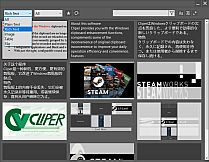
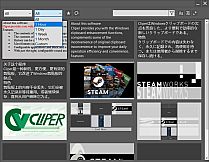
Windows clipboard frustrations end with Cliper, a utility that logs every copy permanently for quick retrieval. Reload past contents with a simple hotkey combo-Left CTRL + Left WIN + Left ALT-to paste older data without losing image colors or rich text details. Group history by type or time, search contents, or mark favorites for fast access. Black and white lists filter out useless items like 2FA captchas or password manager clips, while configurable sounds and bubbles keep notifications subtle. Copy during browsing, then paste excerpts sequentially in notes via the main interface. Design pros and web publishers gain efficiency from these web publishing tools on PC, streamlining daily copy-paste workflows.

About this software
Cliper provides you with the Windows clipboard enhancement functions, complements some of the inconvenience of original clipboard inconvenience to improve your daily operation efficiency and convenience.
Features
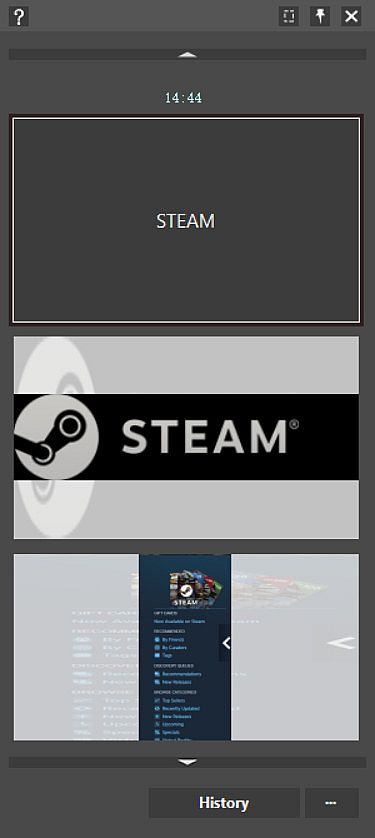
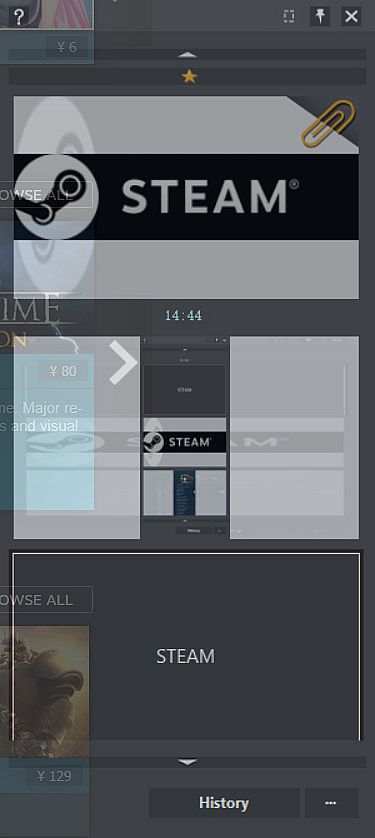
  • The contents of the clipboard are no longer lost with each new copy, they are permanently logged, waiting to be retrieved again, or until they are actively deleted.

  • The contents of the record are reloaded onto the clipboard for easier operation.

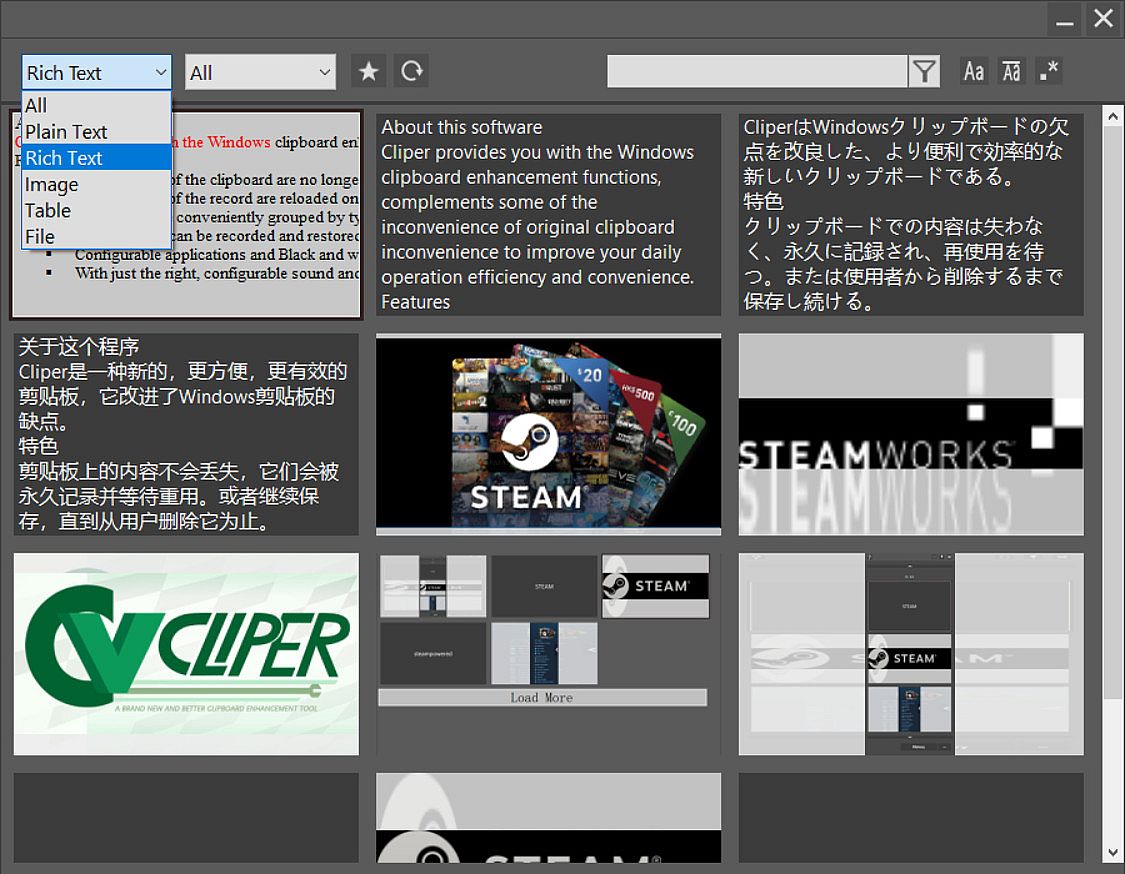
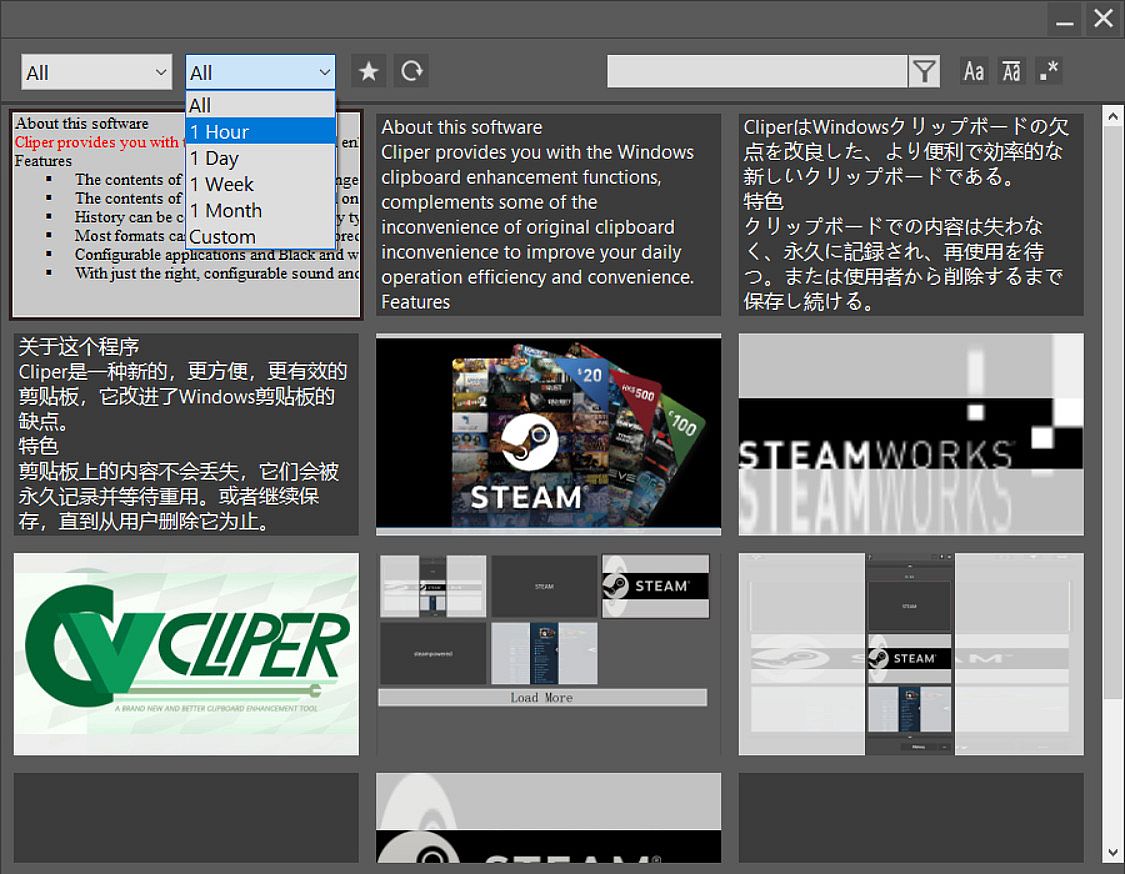
  • History can be conveniently grouped by type, time, etc. , or searched by content, with a favorites feature.

  • Most formats can be recorded and restored without losing additional information such as the color of the image or rich text format.

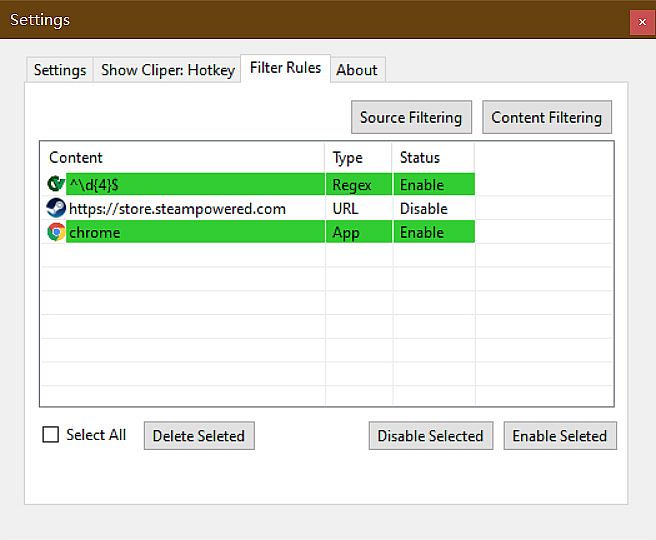
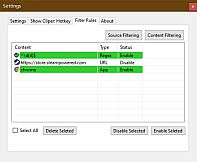
  • Configurable applications and Black and white lists of content that do not record useless 2fa Captcha or private content copied from the password manager.

  • With just the right, configurable sound and bubble prompts, provides you with a simple and efficient experience.
Common scenarios
When there's content in the clipboard and you need to copy and paste new content
  • Copy new content directly
  • Paste the new content as usual with CTRL + V
  • Switch to the old data demand
  • Press Left CTRL + Left WIN + Left ALT to call out the software
  • Press CTRL+V or Enter to reload older content to the clipboard and paste.
  • (When pasting to some older or incompatible programs, you may need to press CTRL + V again to paste.)
Notes
Older data will be automatically selected when the software is called out, so press the hot key to paste directly.
The above hot keys are preset default values of the software.


When browsing long texts
Select the copy directly (CTRL + C) where you need to extract and continue browsing

(After browsing) When recording excerpt notes
Call out the main interface in the notes and select the recorded excerpts and paste in sequence

Interfaccia:
EnglishJapaneseSimplified ChineseTraditional Chinese
Sottotitoli:
EnglishJapaneseSimplified ChineseTraditional Chinese

Classificazione per età

Non disponibile
Steam:
Mixed (18)

Minimo:

  • Memoria: 4 GB RAM
  • Grafica: Smallest Resolution 1280*720
  • Archiviazione: 64 MB available space
  • Note aggiuntive: Need additional space from Documents folder to store data

Consigliato:

  • Sistema operativo: Windows10
  • Memoria: 4 GB RAM
  • Grafica: Recommended Resolution 1920*1080
  • Archiviazione: 64 MB available space
  • Note aggiuntive: Need additional space from Documents folder to store data
Minimo storico
Storico prezzi dei negozi ufficiali
-
-
-
Storico prezzi dei keyshop
-
-
-

FAQ

8 domande

Prima di cercare una chiave economica di Cliper: A clipboard enhancement tool, controlla le informazioni essenziali. Sviluppato da Starship Studio. Pubblicato da Starship Studio. Data di uscita su PC: 01 giu 2020. Generi: Utilities, Design & Illustration, Web Publishing. Categorie: Steam Achievements.

Q

Dove comprare una chiave Steam di Cliper: A clipboard enhancement tool a poco?

Grazie al nostro comparatore di prezzi e ai codici sconto verificati, puoi acquistare una chiave di Cliper: A clipboard enhancement tool a partire da 1,59 €. Questa offerta è disponibile su Steam ed è tra le più economiche sul mercato. Tutte le chiavi su XD.deals vengono consegnate in formato digitale e sono disponibili per il download immediato dopo il pagamento. I prezzi includono già le commissioni e i codici promozionali applicati, così vedi sempre il prezzo più basso di Cliper: A clipboard enhancement tool su PC. Controlla lo storico prezzi di Cliper: A clipboard enhancement tool per acquistare al momento migliore.

Secondo il nostro ultimo aggiornamento (aggiorniamo i prezzi Steam più volte al giorno), il prezzo di Cliper: A clipboard enhancement tool su Steam è 1,59 €. Puoi risparmiare un ulteriore ~6% pagando con una carta regalo Steam scontata.

Il nostro tracker dei prezzi copre sia i rivenditori ufficiali che i marketplace di chiavi, così puoi trovare Cliper: A clipboard enhancement tool in offerta anche al di fuori delle promozioni stagionali. Al momento rileviamo 1 offerta attiva da store ufficiali e keyshop. Controlla la tabella qui sopra, confronta con il minimo storico e imposta un avviso per non perdere il prossimo calo di prezzo.

Secondo i nostri dati, Cliper: A clipboard enhancement tool non è attualmente disponibile su GeForce NOW. Dovrai eseguirlo localmente sul tuo PC. Sfoglia i giochi disponibili su GeForce NOW.

. Cliper: A clipboard enhancement tool ha una pagina ufficiale su Steam. Puoi anche acquistare una chiave Steam di Cliper: A clipboard enhancement tool da venditori terzi. Il nostro comparatore include attualmente 1 offerta con DRM Steam. Scegline una per assicurarti che il download di Cliper: A clipboard enhancement tool avvenga sulla piattaforma di Valve.

Non al momento. Valve classifica Cliper: A clipboard enhancement tool come non supportato su Steam Deck. Tieni d'occhio XD.deals - tracciamo gli aggiornamenti di Proton e le soluzioni della community. Sfoglia i giochi Steam Deck Verified o Steam Deck Playable.

Cliper: A clipboard enhancement tool non sembra essere disponibile su PC Game Pass, EA Play, Ubisoft+ o altri servizi in abbonamento per PC al momento. L'unica opzione è acquistare il gioco - usa XD.deals per trovare il prezzo migliore.

No - XD.deals non è un negozio. Siamo un comparatore di prezzi che traccia le migliori offerte per Cliper: A clipboard enhancement tool tra store ufficiali e keyshop verificati. Clicca "Vai al negozio" accanto a qualsiasi offerta e verrai reindirizzato al sito del rivenditore per completare l'acquisto.

Migliori prezzi per Cliper: A clipboard enhancement tool

1 Steam Steam Official
1,59 €

Vuoi comprare al momento migliore? Imposta un avviso di prezzo su XD.deals e ricevi una notifica quando Cliper: A clipboard enhancement tool raggiunge il suo prossimo minimo storico.

Crea avviso
Unisciti al nostro Discord
Ottieni aiuto immediato dalla community e resta aggiornato sulle offerte
Imposta avvisi di prezzo
Ricevi notifiche via email quando i prezzi scendono al tuo target
Crea un account gratuito
Sblocca wishlist, avvisi di prezzo e sincronizzazione Steam